What if you could turn an app idea into working code in hours instead of weeks? Thanks to AI-powered coding tools like Claude Code, developers can now build applications faster by automating coding, debugging, testing, and other repetitive tasks.
Whatever type of application you choose to make – be it a web, mobile, or business application – Claude Code will function as an intelligent assistant in developing your application, generating code, making sense of complex logic, debugging, and other activities. Nevertheless, developing a successful application will require careful planning, well-thought-out prompts, and thorough code evaluation.
In this guide, we are going to show you how to create an app using Claude Code.
What is Claude Code?
Claude Code is a programming assistant that employs the capabilities of artificial intelligence and was created by Anthropic. It helps developers with coding, improves the software by providing explanations regarding different programming practices, finds errors, and makes suggestions based on your requests. Unlike traditional text editors, Claude Code knows the context of your project.
It can analyze the files related to your project, make architectural suggestions, create documentation and unit tests, and help with code refactoring. Whether you are building web apps, mobile apps, APIs, or enterprise applications, Claude Code will become your intelligent assistant during the development process.
The Claude App provides an interface for interacting with Claude Code. It allows developers to discuss ideas, refine prompts, review generated code, and troubleshoot technical issues through conversational interactions.
Despite the ability to automate many of the processes involved in software development, Claude Code is not a substitute for programmers. It just helps to boost their productivity and do routine coding jobs.
Why Use Claude to Build an App?
Developing an application is not only about coding. The developer needs to design the application, create functionalities, test the application for bugs, and improve its performance, among other activities. Using Claude Code makes these processes easier by helping developers build the application much faster without compromising quality.
Some of the key benefits of using Claude Code include:
- Rapid Development: Produce application architecture, API calls, components, and reusable code within a few minutes instead of hours.
- Faster Debugging: Spot mistakes in the code, comprehend error messages, and get AI-driven recommendations for debugging.
- High-quality Code: Write high-quality code that adheres to contemporary programming standards.
- Automated Documentation: Automatically produce documentation, API documentation, and code comments for the project.
- Automated Test Cycles: Automatically write tests and test cases to ensure the robustness of software and prevent errors in production environments.
- Easy Learning Curve: Ask Claude Code to explain unknown concepts, framework or snippets of code that are not clear to developers.
- Increased Productivity: Through automation of routine actions, developers will have more time to solve business-related tasks.
Regardless of whether you aim to create an MVP, SaaS product, eCommerce system, or enterprise software, Claude Code will help make your software development process much smoother. If combined with human intelligence, it will allow for quicker launches, better teamwork, and more effective software development.
Step-by-step Guide: Using Claude to Build an App
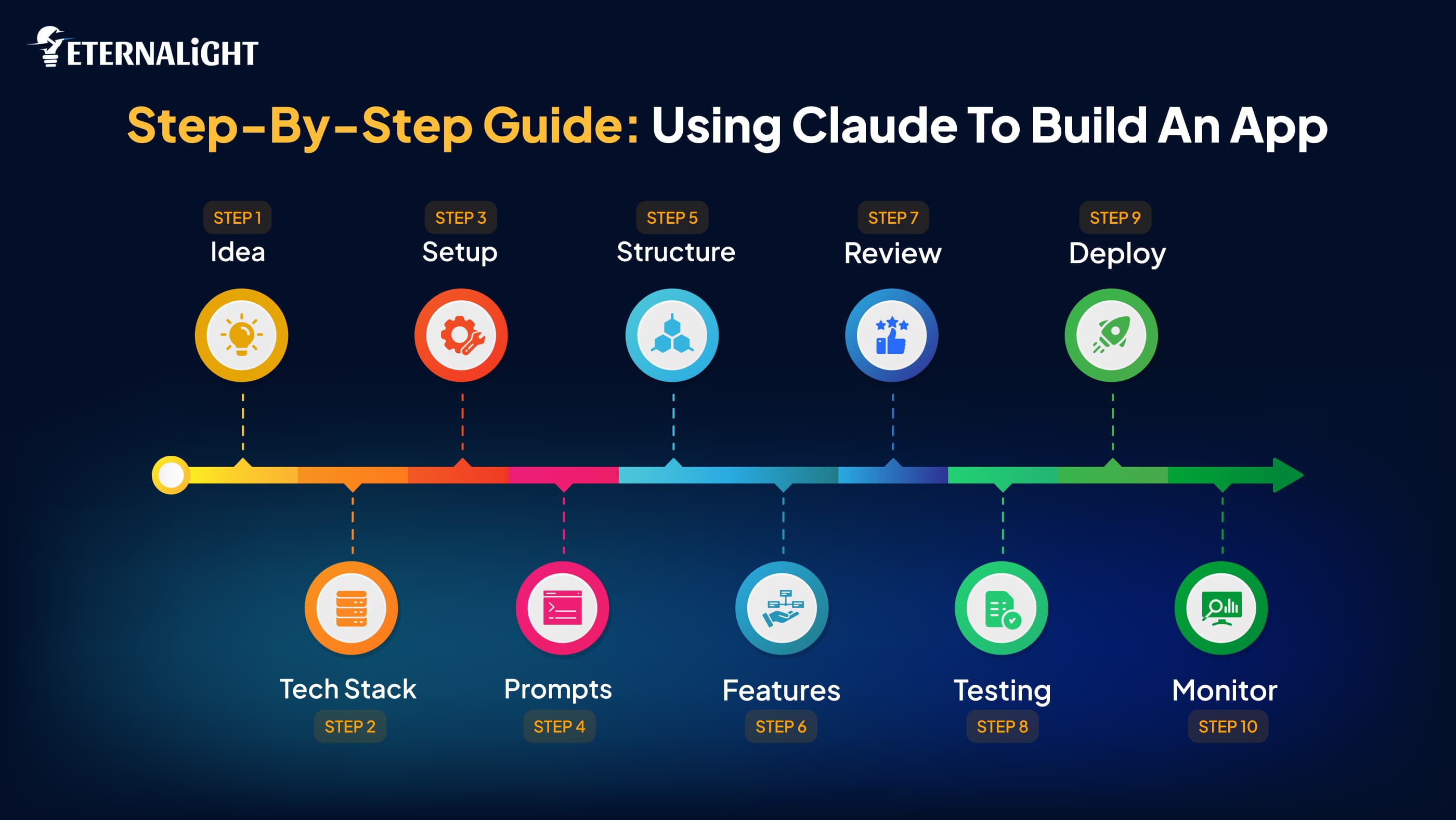
The process of creating an application using Claude Code goes further than just directing the AI to write some code for you. In order to get the best results, you will have to follow a systematic way, which includes outlining your needs, developing your application in stages, examining the code that has been automatically written for you, and testing your application. The following are the steps to create your app using Claude Code.
Step 1: Define Your App Idea and Requirements
Each successful app begins with a good idea. Before opening Claude Code, clarify the problem your app will address and the target audience for whom it will be created.
Ask yourself questions such as:
- What problem does my application solve?
- Who are my target users?
- What features does the MVP have?
- Which platforms are supported (Web, iOS, Android)?
- Do I require third-party APIs or payment gateways?
For example, instead of writing:
"Create a food delivery app."
Provide a detailed requirement like:
"Create a web application for food delivery using Next.js and Node.js. The application should allow registration, viewing of restaurants, ordering of meals, payments through Stripe, and real-time order status tracking."
The more context you give to Claude Code, the better it will understand your requirements and suggest suitable code.
Step 2: Choose the Right Technology Stack
Before generating code, decide which technologies you'll use throughout the project. This ensures Claude Code produces code that matches your development environment.
A typical modern application stack might include:
Layer | Recommended Technologies |
Frontend | React, Next.js, Vue |
Backend | Node.js, Express, FastAPI |
Database | PostgreSQL, MySQL, MongoDB |
Authentication | Clerk, Auth0, Firebase Auth |
Cloud Hosting | Vercel, AWS, Azure |
Mention your preferred stack in every major prompt to maintain consistency across the project.
Step 3: Set Up Your Development Environment
Once you have picked the tech stack, set up your development environment locally.
This typically includes:
- Visual Studio Code installation
- Node.js or any other runtime setup
- Setting up a Git repository
- Installation of project dependencies
- Environment variable setup
- Claude Code integration with your project
Now, at this stage, Claude Code will assist you in generating the folder structure, installing necessary packages, and creating configuration files.
Step 4: Write Clear and Detailed Prompts
The quality of the prompt will directly affect the quality of the output code. Rather than having Claude Code create your entire application in one go, you should divide your project into manageable chunks.
For example:
Weak Prompt
Build an e-commerce website.
Better Prompt
Generate a product listing page with Next.js in TypeScript that uses Tailwind CSS. The product listings should have product images, price, rating, pagination, and category filtering, all fetched from a REST API.
Detailed prompts produce cleaner, more maintainable code and reduce the need for extensive revisions.
Step 5: Generate Your Project Structure
Before you implement your features, request Claude Code to create the basic structure of the application.
This may include:
- Folder structure
- Routing
- API structure
- Database models
- Environment setup
- Reusable components
- Utility function
With good project structuring, future work becomes much simpler.
Step 6: Build Features One at a Time
Do not try to build the whole application at once with a single request. Work on each feature separately and validate it.
A common feature development sequence is:
- User registration and log-in
- User profile handling
- Dashboard
- CRUD operations
- Searching and filtering
- Payment functionality
- Notifications
- Admin panel
- Reporting and analytics
After implementing each feature, analyze its code and improve it until you are ready to move to the next one.
Step 7: Review, Refactor, and Optimize the Code
The code generated by AI must be reviewed before being deployed.
Ask Claude Code to:
- Explain complex functions
- Refactor repetitive code
- Enhance code readability
- Optimize SQL queries
- Avoid unnecessary API calls
- Optimize React rendering
- Follow clean coding principles
It is imperative for humans to review the code to make sure that the application fulfills your business needs.
Step 8: Test Your Application
Testing is one of the key phases in software development.
Use Claude Code to help generate:
- Unit tests
- Integration tests
- API tests
- Edge cases
- Error handling
- Validation
However, do not solely depend on AI-written tests. Run them, check their results, and conduct manual testing to make sure that your application works as intended on various devices and browsers.
Step 9: Deploy Your Application
If testing is successful, you should now deploy your application to a host.
Popular deployment options include:
- Vercel
- Netlify
- AWS
- Microsoft Azure
- Google Cloud Platform
Claude Code can also assist in generating deployment configurations, docker files, CI/CD pipelines, and environment variable documentation to aid in deployment.
Step 10: Monitor, Improve, and Scale
Your application deployment is not the end. You have to monitor performance, get feedback from users, and continue improving your product.
Claude Code can assist with:
- Performance optimization
- Adding features
- Bug fixing
- Database optimization
- Code refactoring
- Documentation updating
- Scaling recommendations
Continuous improvement will bring you closer to a successful product.
Best Prompt Examples for Claude App Development
The effectiveness of Claude Code is largely dependent upon how well-structured the prompts you feed it are. AI cannot produce accurate code without having adequate information about your project, the requirements, and what kind of result is expected from it. The more detailed the prompt, the cleaner the result.
When writing prompts for Claude Code, include details such as:
- Purpose of the application
- Language and framework that you want to use
- Features that should be included
- Database and authentication needs
- Coding standards and/or design patterns
- Output format
The more detailed the prompt, the more Claude Code will understand what you need.
Example 1: Project Setup
Create the base of your app with the help of Claude Code.
Prompt:
Build a Next.js app using TypeScript and Tailwind CSS. Structure your app with the help of the App Router, set up ESLint and Prettier, and use the folder structure that would be scalable for a SaaS app.
Example 2: UI Component Development
Create reusable UI components.
Prompt:
Create a responsive pricing component with three pricing cards with the help of React and Tailwind CSS.
Tips for Writing Better Prompts:
To get the best results from Claude Code, keep these practices in mind:
- Be specific: Clearly define what feature or functionality needs to be developed.
- Mention your technology stack: State what frameworks, programming languages, and databases need to be used.
- Break large tasks into smaller prompts: Create one feature at a time rather than asking for an entire application to be built.
- Define coding standards: Mention any architecture patterns, naming conventions, or performance requirements.
- Review every response: AI-generated code always needs to be tested and optimized.
Clear prompts will not only increase the quality of AI-generated code but will also decrease the amount of edits required, thus accelerating the development process of your application.
Common Mistakes to Avoid
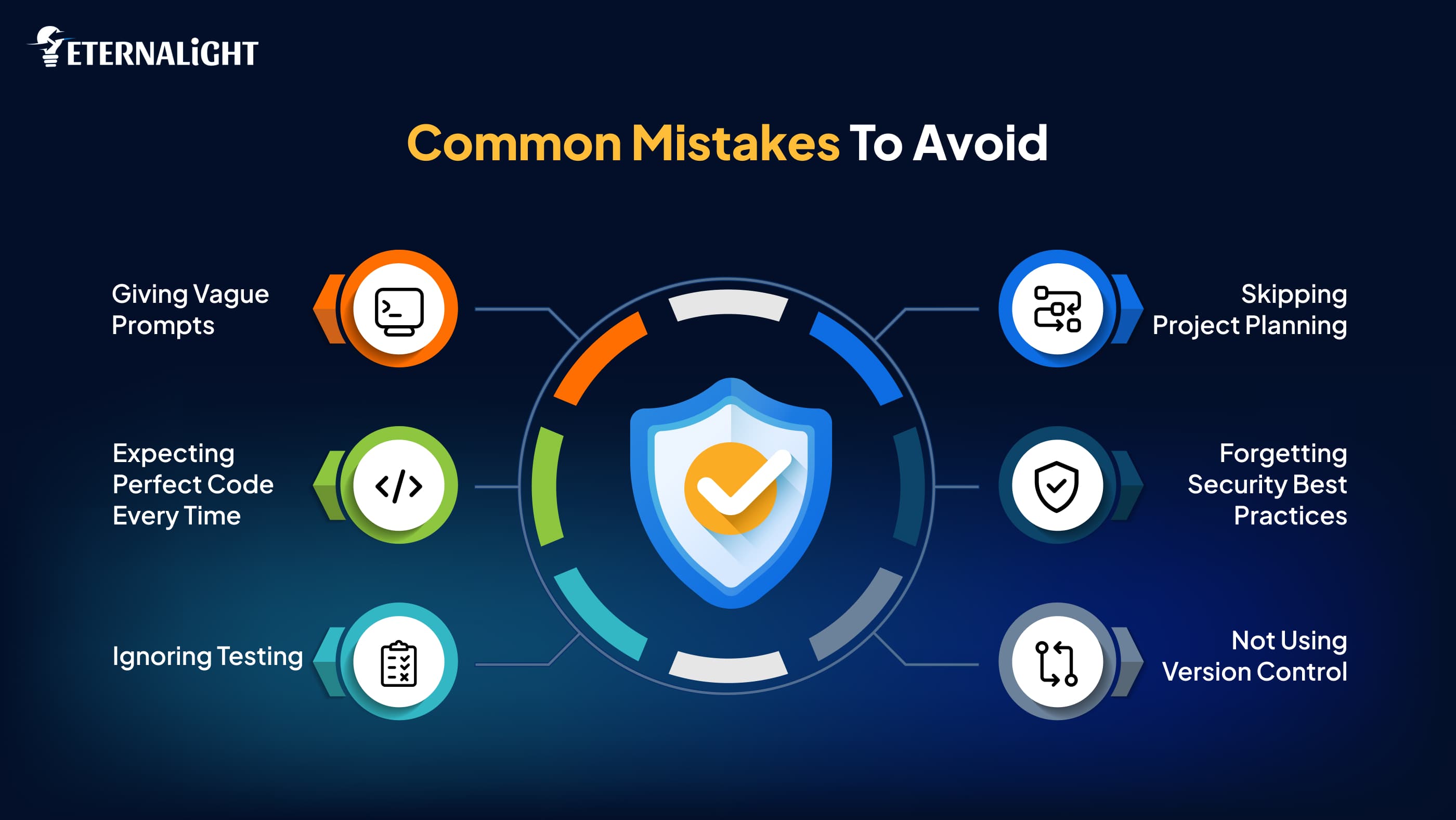
Although Claude Code could potentially help increase the speed of app development, using AI without planning and review could result in ineffective outputs. Here is how you can improve your development process by avoiding these mistakes.
Giving Vague Prompts
General prompts such as “Create an app” give virtually no context. Describe the purpose of the app, its features, technology stack, and required functionality.
Expecting Perfect Code Every Time
The output should always be checked before applying it to production. Check functionality, optimize performance, and verify any vulnerabilities.
Ignoring Testing
Do not ignore testing just because the code was created by an AI algorithm. Test all functionalities with unit, integration, and user acceptance testing.
Skipping Project Planning
Claude Code will work effectively if there is a clear understanding of the project requirements. Plan your architecture and user flows before using the service.
Forgetting Security Best Practices
Always check authentication & authorization, API security, and sensitive data processing. The developer is still responsible for creating a secure application.
Not Using Version Control
Track all the changes with Git or any other version control software. It will help you analyze the generated code by AI, work with your team, and revert to the previous version if needed.
Claude Code is a very helpful assistant for developing, but the application is created through a complex combination of AI skills and the developer himself.
Claude vs Traditional App Development
AI-based development is revolutionizing software development; however, it does not fully substitute conventional software development methods. Rather, Claude Code optimizes the development process through automating routine tasks and making software development easier for developers.
Learning about the distinctions between AI-based and conventional software development will enable the team to know how to leverage Claude Code.
Features | Claude Code | Traditional App Development |
Development Speed | It creates coding and projects within minutes, saving time in the development phase. | All the components and features are created manually, which takes a lot of time. |
Learning Curve | Helps programmers understand their code and concepts, thus learning new technologies easily. | It makes programmers do research and solve the problem themselves. |
Code Generation | Automatically creates boilerplate code, APIs, components, and documentation. | Code is developed manually by developers. |
Debugging | Automatically helps to spot errors, explain problems, and offer solutions. | The debugging process depends solely on the developer. |
Documentation | Automatically creates README files, API documentation, and code comments. | Documentation is typically written manually and may be postponed. |
Human Expertise | Developers are still required to test and optimize AI-generated code. | All decisions are taken by the developers. |
Even though Claude Code streamlines software development, successful software still requires well-conceived architecture, business logic, and security.
Best Practices for Building Apps with Claude Code
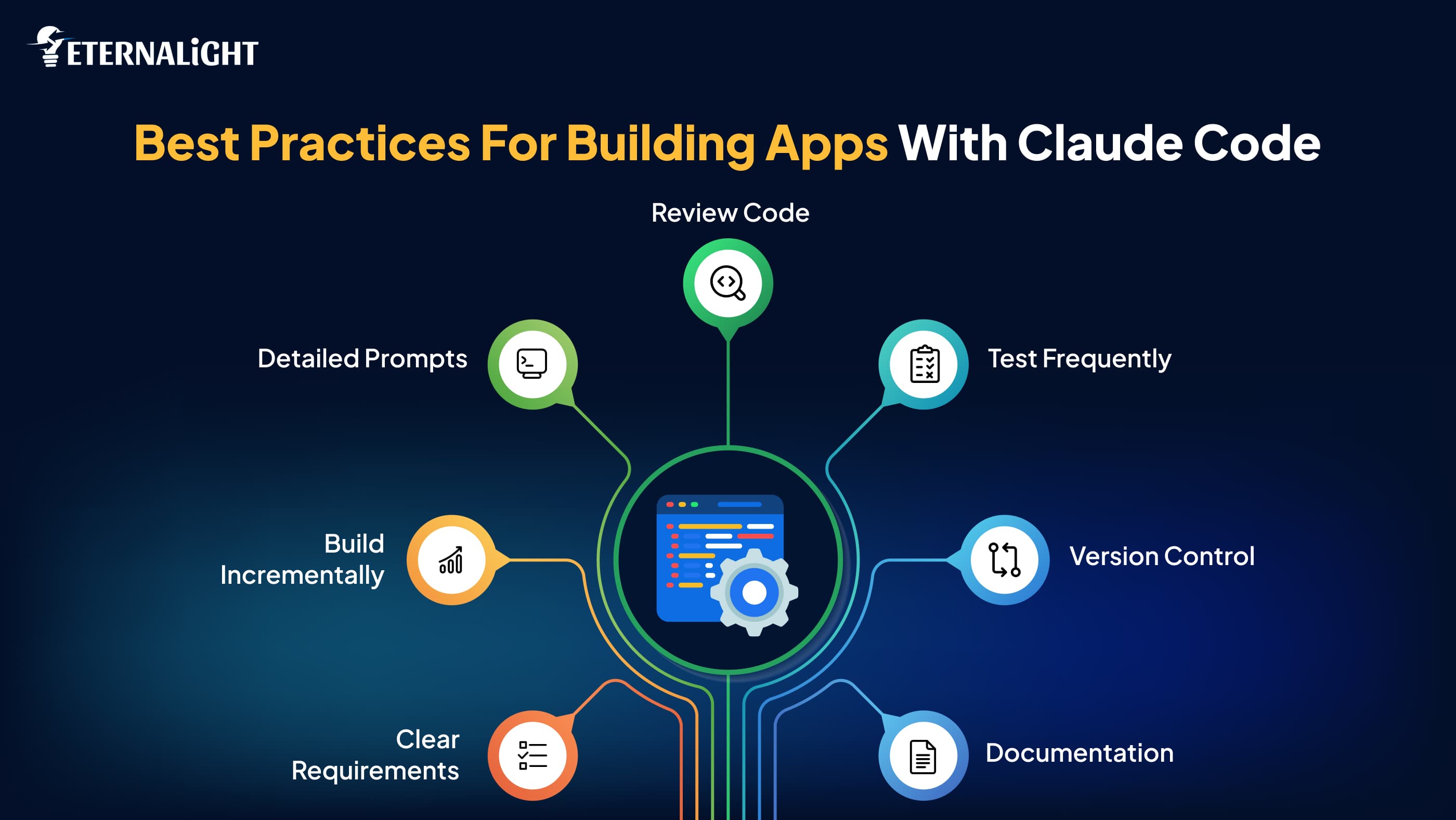
In order to maximize the effectiveness of Claude Code, developers must use it as an assistant that will help in the software engineering process, but not as a replacement for developers’ skills. Here are some tips that will help you create the best applications using Claude Code.
Start with Clear Requirements
Before writing prompts, you should know what you want your application to do, who its target audience is, what features it should have, and what technical requirements you have.
Build Incrementally
Do not ask Claude Code to write your whole application in one prompt. Create one feature at a time.
Write Detailed Prompts
Wherever possible, include your preferred framework, programming language, database, functionality, coding standards, and performance specifications.
Review Every Line of AI-Generated Code
Always ensure code is correct, secure, scalable, and maintainable. Errors can be introduced by AI, hence the need for manual checking.
Test Frequently
Test units and integrations, as well as doing manual testing, to ensure that your application works correctly in the real world.
Use Version Control
Make regular commits using Git so that you can see the difference between versions and reverse any generated by the AI.
Keep Documentation Updated
Use Claude Code to document your project so that other people can work with you on it.
By following these tips, your team will be able to use AI responsibly while still achieving high standards for software development.
Challenges and Limitations
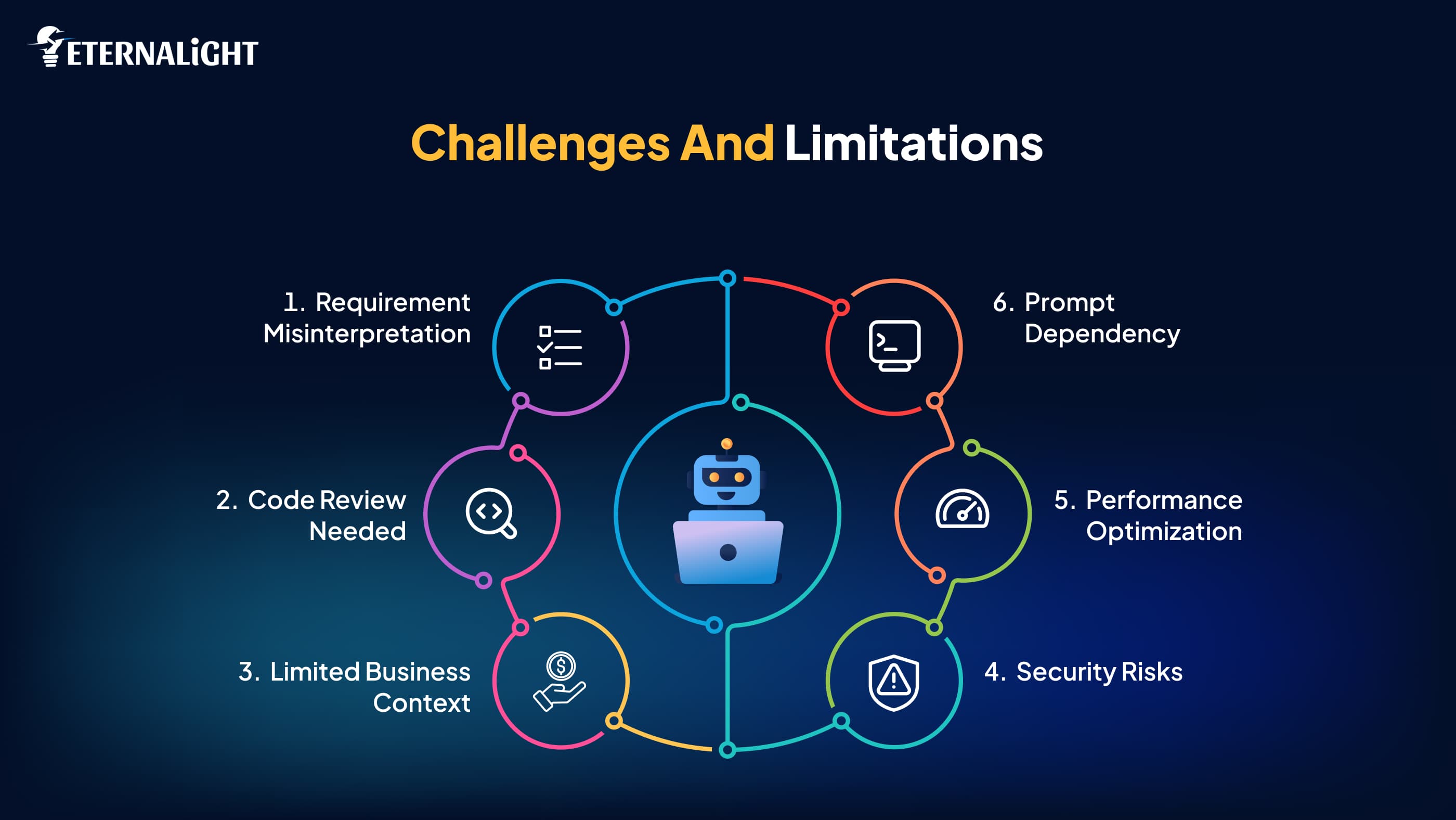
Even though Claude Code has the potential to greatly enhance the efficiency of developers, there are some issues that are associated with it. It is important to learn about the challenges to establish realistic expectations and use AI appropriately.
AI Can Misinterpret Requirements
If prompts do not contain enough information, Claude Code will produce code that does not reflect what you wanted to achieve.
Generated Code Still Needs Review
No matter how good the code generated by AI is, it needs to be checked before implementation in production.
Limited Business Context
Claude Code understands your technical requirements but is unaware of your business processes and vision unless you inform it.
Security Risks
Authentication & authorization, data validation, and compliance issues need to be verified by experienced developers in order to avoid any kind of vulnerability.
Performance Optimization
Although the generated code works properly, it may not be the most optimal solution in all cases. Sometimes further optimization is necessary.
Dependency on Prompt Quality
The quality of the response highly depends on the quality of the prompt. The lower the quality of the prompt, the lower the quality of the response.
Is Claude Enough to Build Production Apps?
Claude Code is able to produce good code that can speed up the development process, make documentation, run tests, and help debug the code. This makes Claude Code a very helpful solution for creating prototypes, MVPs, internal tools, and even production-level applications.
However, launching software into production requires much more than generating code. Developers still need to:
- Inspect the produced code for quality and sustainability.
- Run thorough tests on various devices and platforms.
- Check for vulnerabilities in the application.
- Optimize the performance of the application.
- Set up logging and deployment systems.
The best-performing development teams utilize Claude Code as a collaborative AI that acts as a partner for developers and not as a fully automated developer. This ensures rapid development while still delivering the same level of quality as production software.
Future of AI-Assisted App Development
AI technology has become increasingly integrated in the software development process. As opposed to just creating the software code, modern AI systems have started playing the role of intelligent development partners that help in planning, designing, testing, deploying, and even maintaining the application.
Over the next few years, we will see even more powerful systems such as Claude Code providing advanced functionalities that include understanding projects, automatic debugging, intelligent code review, and documentation update, etc.
In terms of business, this means quicker launches, reduced costs, and increased adaptability to changing requirements from customers. For developers, it translates into having less time spent on coding, while having more opportunities to design something really new, solve complicated problems, and improve user experience.
However, even in such an advanced era of software engineering, people will still be needed. Creative, experienced, and educated in various domains, people will make important decisions in matters of architecture, security, compliance, business strategy, and user experience.
The future of app development does not consist in taking the place of developers by AI, but in helping developers develop really smart, fast, and reliable apps with its help.
Conclusion
Artificial intelligence is changing software development, and Claude Code is making things easier for developers in developing apps by streamlining coding, debugging, testing, and documentation. Nevertheless, in developing a successful app, proper planning, code review, implementation of good coding practices, and rigorous testing are necessary.
Regardless of whether you are developing an MVP, a SaaS application, or an enterprise application, Claude Code is an excellent development tool powered by artificial intelligence that can increase developer productivity. Developers who will successfully use artificial intelligence in combination with their skills will have an upper hand when developing apps.

Kusum Sethiya
Software Engineer
Kusum Sethiya is a Software Engineer at Eternalight Infotech, focused on building clean and intuitive. She enjoys turning ideas into reliable applications using modern technologies like Javascript, React, Node.js , and MongoDB.
Related Blogs
- AI & ML7 Mins
Best Prompt Engineering Techniques for AI Agent Systems
Explore prompt engineering techniques for different AI use cases, including structured prompts, zero-shot, few-shot, multimodal inputs, security, and testing.
- AI & ML10 Mins
AI Doesn't Forget. It Loses Context: How Context Graphs Can Help
Learn how context graphs help AI agents connect information, retain context, and make better decisions with AI memory tools and retrieval systems.
- AI & ML10 Mins
How to Test Generative AI Applications: A Practical Guide to Reliable AI Systems
Learn how to test generative AI applications for accuracy, hallucinations, performance, security, RAG workflows, and reliability.