Right now, every app can answer a user’s query. It could be anything, from a delayed order to a cancellation, refund, or return. These assistants can recommend products and services based on your preferences.
You just need to give a prompt or upload a picture, saying:
- What’s the timeline to return the product?
- What's the return policy?
They answer confidently and often reply immediately, but a quick response doesn't always mean the answer is correct.
Recently, I used ChatGPT and Gemini to research and analyze documents and links, and in some cases, they took my data and replaced the original names with my inputs. Then I gave the prompt again, and the tool accepted the mistake that it misunderstood. Sometimes these tools prioritize input order and can't tell which input matters more.
Of course, top developers built these tools, and we don’t expect them to be mistake-free. The issue isn't necessarily that the tool wasn't tested to respond to users' queries. Here, the tool couldn't understand the context and complexity of the question and situation and, as a result, generated the wrong output.
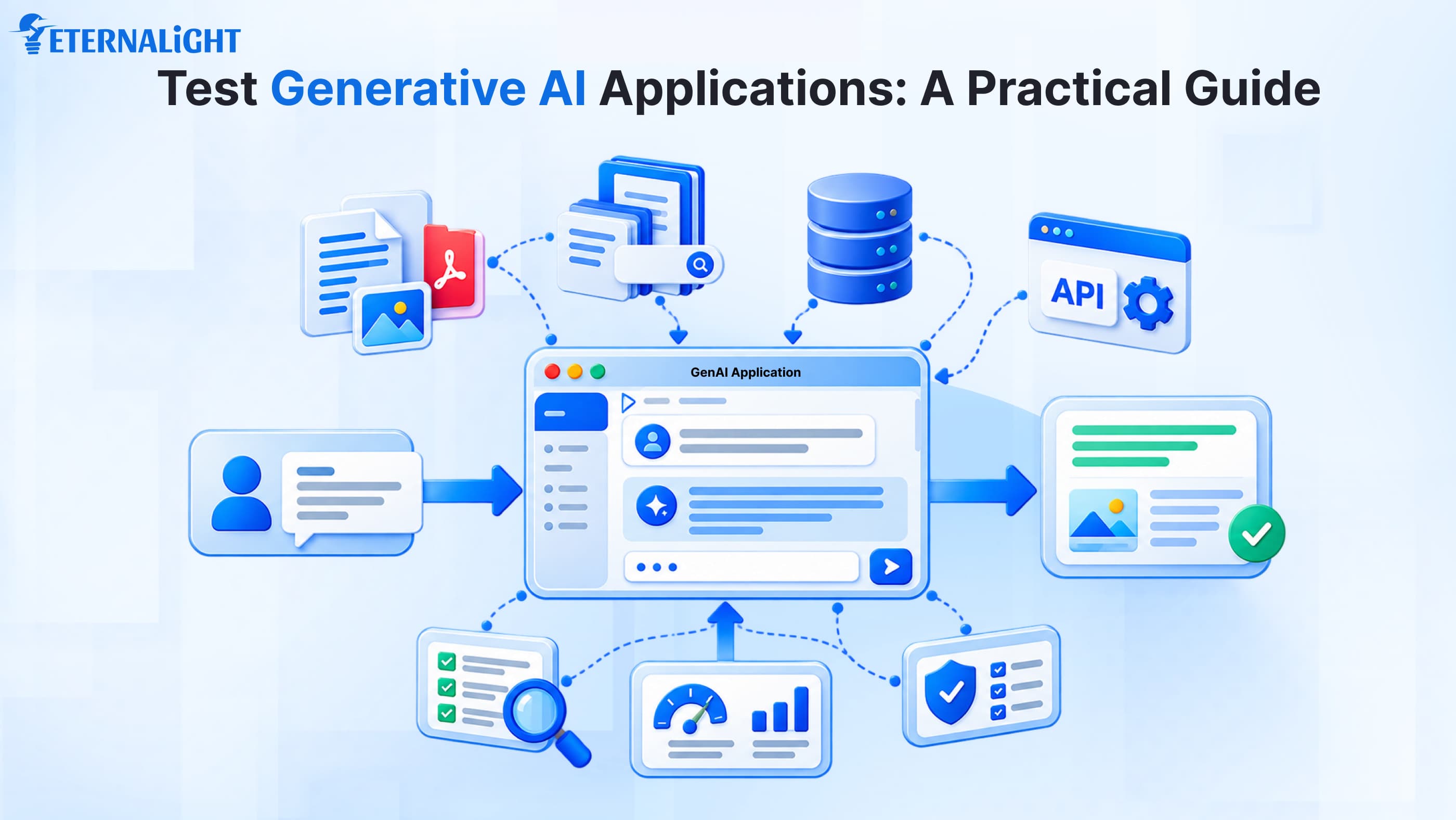
This makes it clear that general testing practices alone are not enough to test GenAI applications. Users have different queries, and a fixed set of instructions cannot cover every situation. GenAI applications integrate different models, databases, data sources, RAG and ML pipelines, and external services.
To avoid these conflicts, QA must take a different approach to testing GenAI applications.
What Can Go Wrong in a GenAI Application?
When testing normal apps, we start with the basics, like unit testing, to evaluate each module's functionality and integrations. Here, the QA team’s main focus is on discovering incorrect logic. After testing a few functionalities, we can ensure the components integrate well and respond properly. Still, there’s confusion about whether all points are simulated together.
You've probably heard of smoke testing, where we check whether an app's critical functionalities work after a new build or deployment.
Then come white-box, grey-box, and black-box testing approaches, which differ based on how much internal system information is available to the tester. End-user and beta testing also evaluate the application from the user's perspective.
The QA team writes structured use cases and results to verify whether all conditions meet the logic and confirm the app’s performance and stability.
You can’t do the same with the GenAI app. At first, it may look like the logic aligns well with the functionality and LLM calls, but can the test cases actually meet the business logic?
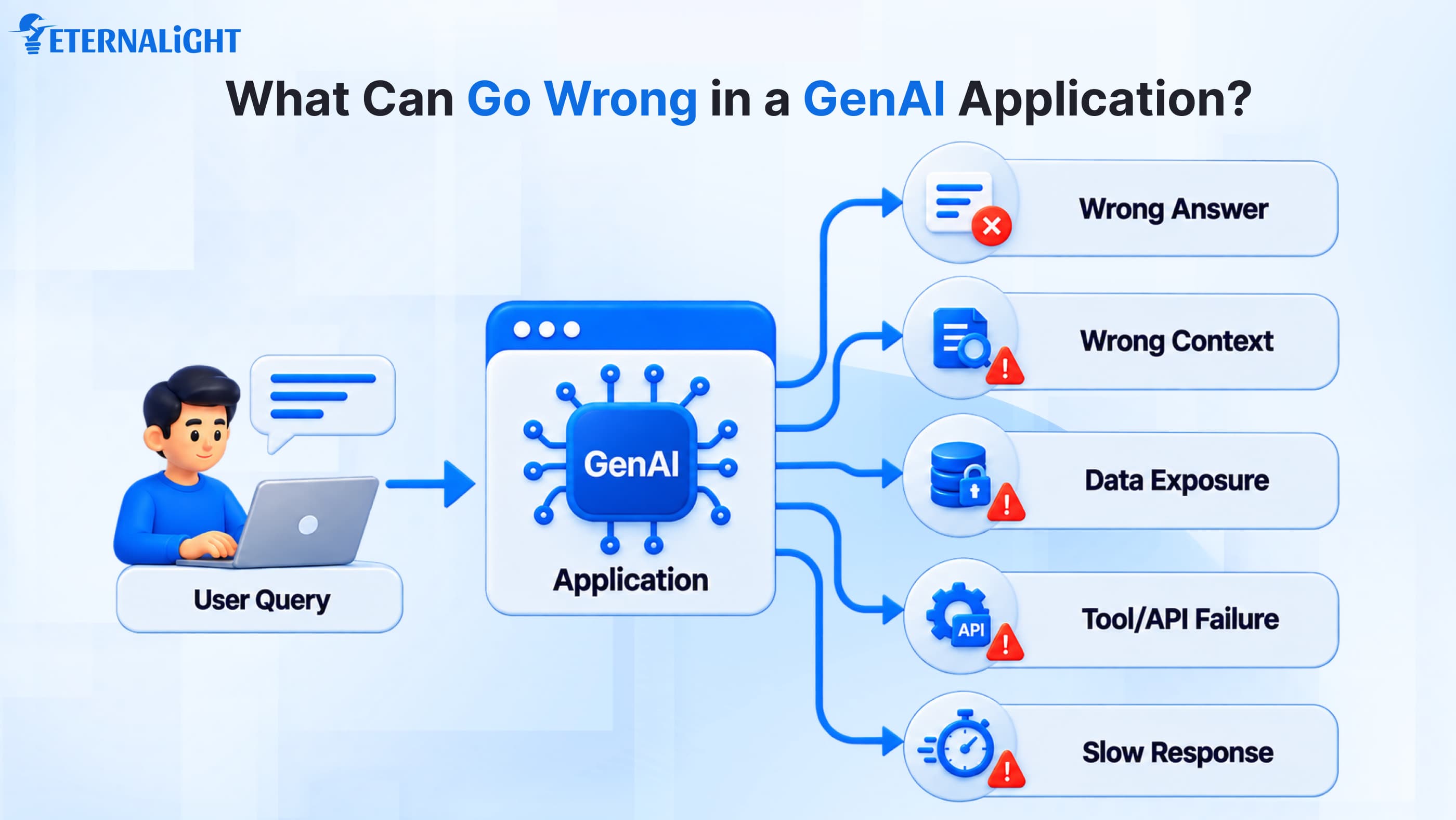
Every time a user asks the GenAI app something and the model calls the database to fetch a response, the database may reject it, security issues can arise, or the app can start lagging.
You can be confident with regular, direct one-liner queries, but if the sentences twist, will it generate a similar response?
A human can understand the sentences easily, but the system will interpret each one differently.
What Should You Test in a GenAI Application?
Suppose you’re using GenAI applications for some scenario analysis and want a final judgment like an expert, but because the model is not built and trained for a specific situation, it can return " something is wrong”. If the information or data is sensitive, the system might fail to generate responses.
Thus, testing principles and rules for GenAI applications need to be restructured to focus on the following.
Performance and Reliability Testing
GenAI integrates with multiple data sources to generate responses, but if the app says it is taking a little longer, users may feel frustrated when they need something urgently.
When testing GenAI applications, QA must evaluate response time, concurrent request count, timeouts, failure rate, and behavior with external third-party models.
Implement rate limits to manage traffic and monitor token usage to control model-related costs. Use token-based authentication and access control to manage user access.
These metrics help evaluate the app's performance and reliability before it is handed over to end users.
Functional and Workflow Testing
An application designed with multiple functionalities to achieve a specific goal: if a customer tries to apply for a refund or return on any product, they will go through multiple pages, fill in detailed address and account details, and the app will track the status. It’s QA's responsibility to ensure all modules and functionality connect well with APIs and the database.
Response Quality and Accuracy Testing
When building GenAI applications and enabling user interaction, the application should use factually correct information to understand the user’s context and respond correctly. If the wording of the query changes, the app should still provide confident, relevant, and accurate responses.
Hallucination and Grounding Testing
Sometimes, the tool generates information that sounds genuine but is factually incorrect or unsupported by the available data. This is called hallucination. QA should evaluate whether the application fetches relevant information and whether its answers are supported by reliable sources; otherwise, it can mislead users.
RAG and Retrieval Testing
Gen AI applications don’t have a brain or human-like emotions to decide what is relevant and what is not. They only scan for available facts and valuable information; they fetch/retrieve the data and generate a response/output.
QA should test whether the RAG pipeline retrieves the right information from the available data sources and whether the generated response matches that information. Context engineering can also help provide the model with relevant context and instructions. Finally, the goal is to generate accurate responses while handling uncertainty in user queries.
How to Test a GenAI Application: Step by Step
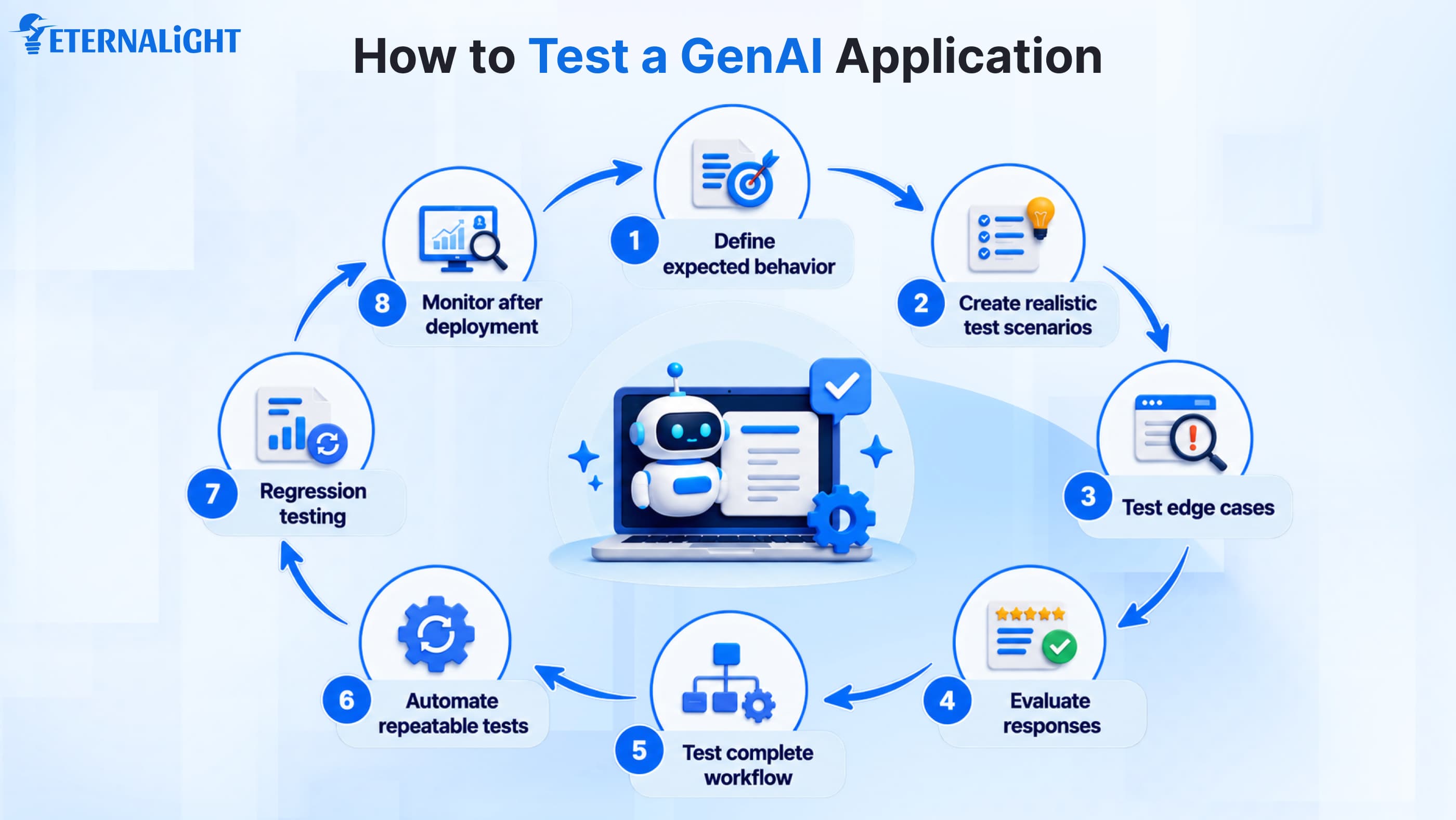
We have mentioned different things and metrics that fall under each. These aren't new terms, but as technology and trends evolve, benchmarks change, and it can get confusing, so we’re listing the process to make it easier.
1. Define What Good Performance Looks Like
Suppose you’ve built an application leveraging top-grade AI functionality to manage the task, but it fails to meet expectations.
Before you move to the testing phase, define the intent behind why you built it and what it will do. Is it only to answer simple queries, or to search and retrieve results, manage support, or return policy requests?
This gives the QA team a clear idea of what action to take and what response to expect.
2. Build a Realistic Test Dataset
Customers rarely check the terms & conditions or return policy, like "What’s the return policy?" Either they tap the bottom after the product description if they're genuinely interested in purchasing; otherwise, they place the order and think about returning it later if they no longer want it.
Usually, the tone is conversational, and every customer asks questions differently. If the QA team creates only generic test questions based on common user queries, the tests may miss other situations. To make the GenAI system more reliable, they should include scenarios that vary by timeline, return conditions, and how users ask questions.
3. Test Normal, Edge-Case and Adversarial Inputs
Even after in-depth research, the system may not match the given inputs. Users don’t write full queries or questions; they stop asking once key terms start appearing in the results list. Sometimes two different sources present different information in different ways, creating contradictions.
Because users rely heavily on AI tools for answers, and many tools generate only specific types of responses in specific formats, they may not handle user questions as expected. Instead of generating irrelevant responses when it can’t respond appropriately, it can simply generate a prompt stating that the system doesn't generate those kinds of responses.
4. Evaluate Responses Against Defined Criteria
QA prepares test cases with expected answers or evaluation criteria to assess the application's performance. As we mentioned earlier, if users ask the same question with different formatting, the system may not generate the same response every time; it may vary.
To generate the proper response, the system must meet the conditions and scenarios. To do that, the system must understand the context from the available information and follow the given tone or format instructions.
5. Test the Complete AI Workflow
In normal apps, QA’s main focus is on the final response and initial question. But in a Gen AI system, you have to evaluate the overall workflow because if the system fails to understand the prompt, or if any model or API disconnects or malfunctions, it will affect the final response.
As mentioned earlier, the wrong API, incorrect information, and improper formatting can all lead to failure and poor performance. You must inspect the workflow from start to finish to find and fix the issue.
User Input → Prompt → Retrieval/Data Source → Model → Tool/API → Final Response
6. Automate Repeatable Tests
An AI development company has so much to do; why waste time on manual tasks?
To speed up projects and make the system more efficient, automate frequently performed tasks.
We agree this doesn’t apply to all GenAI systems; some are exceptional and need human intervention to check context and the latest information, and then we can do it manually. For others, we can automate E2E testing to check whether the structured output, information, and cases match the prompt and test case.
7. Run Regression Tests After Changes
When the team launches a new model, tool, RAG pipeline, or other APIs and integrations, the application changes, and so does how it generates prompts and instructions. Policies are also updated.
New updates affect application functionality and behavior, so fixing one problem can introduce another.
To avoid unexpected behavior and evaluate GenAI application performance, QA should run regression tests.
8. Test Security and Unintended Behavior
Here, we need to evaluate the system's robustness and reliability in real-world scenarios. QA should validate whether sensitive information and restricted features are protected from unauthorized access.
Because cyber threats are common, attackers may try to exploit the GenAI application's capabilities, steal information through prompt injection, or change the application's intended behavior.
QA should check whether the application follows its security rules, protects sensitive data, and prevents unauthorized actions.
9. Monitor the Application After Deployment
Even when the application is live in production, we can’t predict if all functionalities meet real-life user queries and situations. It can still encounter bugs, errors, inaccuracies, or latency issues that can lead to failures. The QA team is responsible for investigating root causes, fixing them, and ensuring the model stays relevant and responsive in future scenarios.
Wrap Up
Testing the GenAI application is no longer limited to checking the response alone. The challenge is handling different inputs, identifying intent, tone, and scenarios, and using that information. The GenAI tool must follow the intended workflow and respond according to the user's intent.
At Eternalight, our team of expert QAs monitors applications to identify errors and failures, escalate issues, and support ongoing improvement. This includes testing RAG pipelines, data sources, multimodal inputs, and integrations to help ensure that the application follows the intended workflow and generates reliable responses.

Ayushi Shrivastava
Senior Content Writer
Ayushi is a Content Strategist at Eternalight Infotech with 4 years of experience in transforming complex ideas into clear, engaging, and SEO optimized narratives. She specializes in crafting impactful content strategies that enhance brand visibility and drive meaningful engagement across digital platforms.
Related Blogs
- AI & ML10 Mins
AI Data Security Strategies: 8 Ways to Protect Data in AI Systems
Explore 8 AI data security strategies to protect sensitive data across prompts, AI models, RAG systems, APIs, access controls, storage, and outputs.
 AI & ML17 Mins
AI-Ready Data Architecture: A Complete Guide for Modern AI
Learn how AI-ready data architecture works, its key components, framework, how to build it, and how it supports generative AI, machine learning, and AI agents.
 AI & ML16 Mins
LangChain vs LangGraph: Which Fits Your AI Agent Workflows?
Compare LangChain vs LangGraph to understand their key differences, use cases, and how each framework fits modern AI agent workflows.