.jpg&w=3840&q=75)
Thirty seconds. That’s how long it took a Webpack server to reload a simple code change in one of the projects I worked on.
It was a clear sign: the architecture needed modernisation.
Over the years, I’ve worked on multiple legacy React applications — some over 5 to 7 years old — and each migration project has been a mix of technical debt, outdated tooling, and evolving best practices. Migrating legacy code isn’t just about updating dependencies; it’s a full-scale transformation across performance, architecture, maintainability, and developer experience.
One of the most impactful migrations involved upgrading from:
- Material-UI v4 → MUI v6
- React 16 → React 18
- Webpack 3 → Vite
This wasn’t a simple upgrade. It required refactoring class components, rewriting routing logic, replacing deprecated libraries, and rethinking our styling approach — all while ensuring the application remained stable and available throughout the transition.
In this post, I’ll break down the approach, the key technical decisions, and the tools that made this migration successful — along with what I’ve learned that can apply to any modernisation effort.
Common Issues in Legacy Frontend Codebases
Before initiating a frontend migration, it’s essential to evaluate the state of the existing codebase. Across several projects I’ve worked on, I’ve seen recurring challenges that make modernization not only beneficial, but necessary. Some of the most common issues include:
- Slow local development builds
Older build tools like Webpack (especially in early versions) often lead to rebuild times of 20–30 seconds, drastically slowing down developer productivity. - Large bundle sizes
Legacy dependencies such asmoment,crypto, andmaterial-tablefrequently contribute to inflated bundle sizes due to lack of tree-shaking support or polyfills that are no longer necessary. - Outdated architectural patterns
Heavy use of class components,withRouter, and older context APIs makes the code harder to maintain and less compatible with modern React tools and practices. - Inconsistent styling systems
It’s common to see a mix of global CSS, inline styles, and legacy theming approaches, leading to visual inconsistencies and duplication. - Third-party library conflicts
Many older applications rely on multiple UI libraries simultaneously. For example, in one of the projects I worked on, both Material-UI and Ant Design (antd) were used together. This led to styling conflicts and compatibility issues — especially with components likeTreeSelect, which didn’t work well alongside newer MUI versions without manual overrides.
These are just a few examples of the types of issues that tend to accumulate in frontend projects over time. Identifying and addressing them early is key to ensuring a successful migration strategy.
Research Phase: Understanding What We Were Getting Into
Before changing a single line of code, we first invested two weeks in a dedicated research and strategy phase. A successful migration is all in the planning, and our goal was to de-risk everything upfront.
Here’s what we did:
- Performance & Dependency Audit: We began by analysing the app to find performance bottlenecks and identify the most significant, riskiest dependencies. Unsurprisingly, old libraries like crypto and material-table were at the top of our list.
- Studied Documentation: We thoroughly studied the official MUI v6 documentation and community migration guides. This helped us to anticipate any breaking changes and estimate the effort required for refactoring our component library.
- Legacy Code Mapping: Systematically mapped the application’s structure to understand what we were working with. This involved identifying and tagging every part of the app that used legacy patterns needing special handling, such as class components, old React Router v4 logic, and inconsistent styling.
- Proof-of-Concept (POC): To validate our key assumptions, we created a simple yet functioning proof-of-concept. We built a working Login flow with its associated landing pages using Vite and MUI v6.
- Finalising the Modular Strategy: We finalised our migration strategy by deciding to upgrade and deploy the application one module at a time.
Step-by-Step Execution
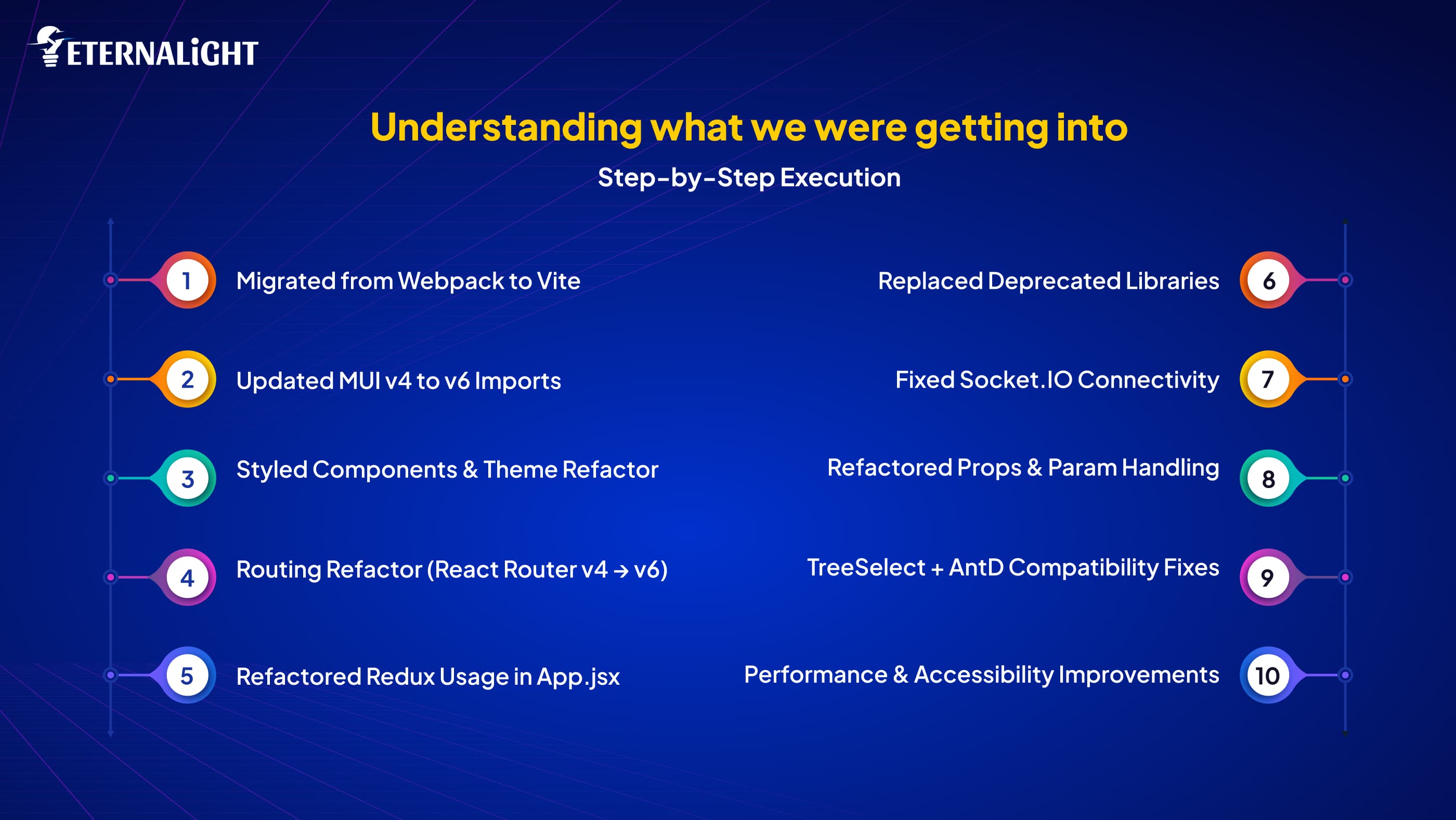
1. Migrated from Webpack to Vite
Why Vite?
- Native ES module support
- Lightning-fast dev server and HMR
- Simpler config, cleaner DX
We rewrote the build pipeline using vite.config.js, cleaned out Webpack loaders/plugins, and updated scripts to use Vite-native environment files (.env, .env.production).
Before (Webpack Script):
"scripts": {
  "dev-server": "cross-env BACKEND_URL=http://... webpack-dev-server"
}
After (Vite Script):
"scripts": {
  "dev": "vite",
  "build": "vite build",
  "preview": "vite preview"
}
2. Updated MUI v4 to v6 Imports
Old:
import { Button, TextField } from '@material-ui/core';
import { makeStyles } from '@material-ui/styles';
New:
import { Button, TextField } from '@mui/material';
import { styled } from '@mui/system';
3. Styled Components & Theme Refactor
Moved from makeStyles/withStyles to styled() and sx props for better performance and flexibility:
Before:
const useStyles = makeStyles(() => ({
  root: { padding: 10 }
}));
After:
const Root = styled('div')(({ theme }) => ({
  padding: theme.spacing(2),
}));
4. Routing Refactor (React Router v4 → v6)
- Replaced
render={() => <Component />}withelement={<Component />} - Introduced
useNavigate,useLocation, anduseParams - Created a custom
withRouterwrapper to handle class components
Before:
<Route path="/dashboard" render={() => <Dashboard />} />After:
<Route path="/dashboard" element={<Dashboard />} />- Supporting Class Components with a Custom
withRouterWrapper
function withRouter(Component) {
  return function WrappedComponent(props) {
    const navigate = useNavigate();
    return <Component {...props} navigate={navigate} />;
  };
}// NOTE: In legacy class components, wrap your export with `withRouter`
// to inject routing props (navigate, params, location)
export default withRouter(YourComponent);5. Refactored Redux Usage in App.jsx
We modernized the pattern of setting Redux state by ensuring state was derived and managed via hooks and clean action dispatchers — improving traceability and side-effect control.
6. Replaced Deprecated Libraries
crypto→crypto-js(for password hashing)material-table→@material-table/core- Added
@material-table/exportersfor export functionality
exportMenu={[
  {
    label: 'Export PDF',
    exportFunc: (cols, data) =>
      ExportPdf(cols, data, 'My Table Export'),
  },
]}
7. Fixed Socket.IO Connectivity
Socket connection issues were fixed by upgrading:
Old: socket.io-client@1.7.0
New: socket.io-client@2.4.0
8. Refactored Props & Param Handling
- Destructured props in functional components
- Replaced
match,history.push()withuseNavigate()+useParams()
Before:
props.history.push('/dashboard');After:
const navigate = useNavigate();navigate('/dashboard');9. TreeSelect + AntD Compatibility Fixes
Modified the ant.css to improve integration with MUI and fix TreeSelect styling issues, essential in hybrid-component environments.
10. Performance & Accessibility Improvements
- Removed unused state & props
- Commented deprecated/unreachable code
- Ensured all components support keyboard nav, alt texts, and tab flow
Automation and Tooling
Cypress Integration: We implemented comprehensive end-to-end testing covering user authentication, group management, job posting workflows, and candidate invitation processes.
Load Testing with JMeter: Performance validation involved evaluating 200 concurrent users and 500 job applications in an hour to ensure that our optimisations translated into real-world performance benefits.
Performance Monitoring: New Relic and Smartlook integration provided real-time insights into application performance and user behaviour patterns, enabling data-driven decisions.
Business Intelligence: Metabase connection enabled no-code dashboard capabilities, allowing product and marketing teams to generate insights independently.
Measurable Results and Impact
The migration delivered substantial improvements across development experience, application performance, and organisational efficiency metrics.
Development Environment Performance:
- Dev start time: 30 seconds → <1 second (30x improvement)
- Bundle size: Reduced by 30–40% through dependency optimisation
- Page load time: ~50% improvement across network conditions
- Development velocity: Significantly faster component delivery with reduced regression incidents
User Experience Enhancement:
- Faster initial page loads through optimised bundling
- More responsive user interactions via improved runtime performance
- Enhanced accessibility compliance through systematic implementation
Key Takeaways for Your Migration
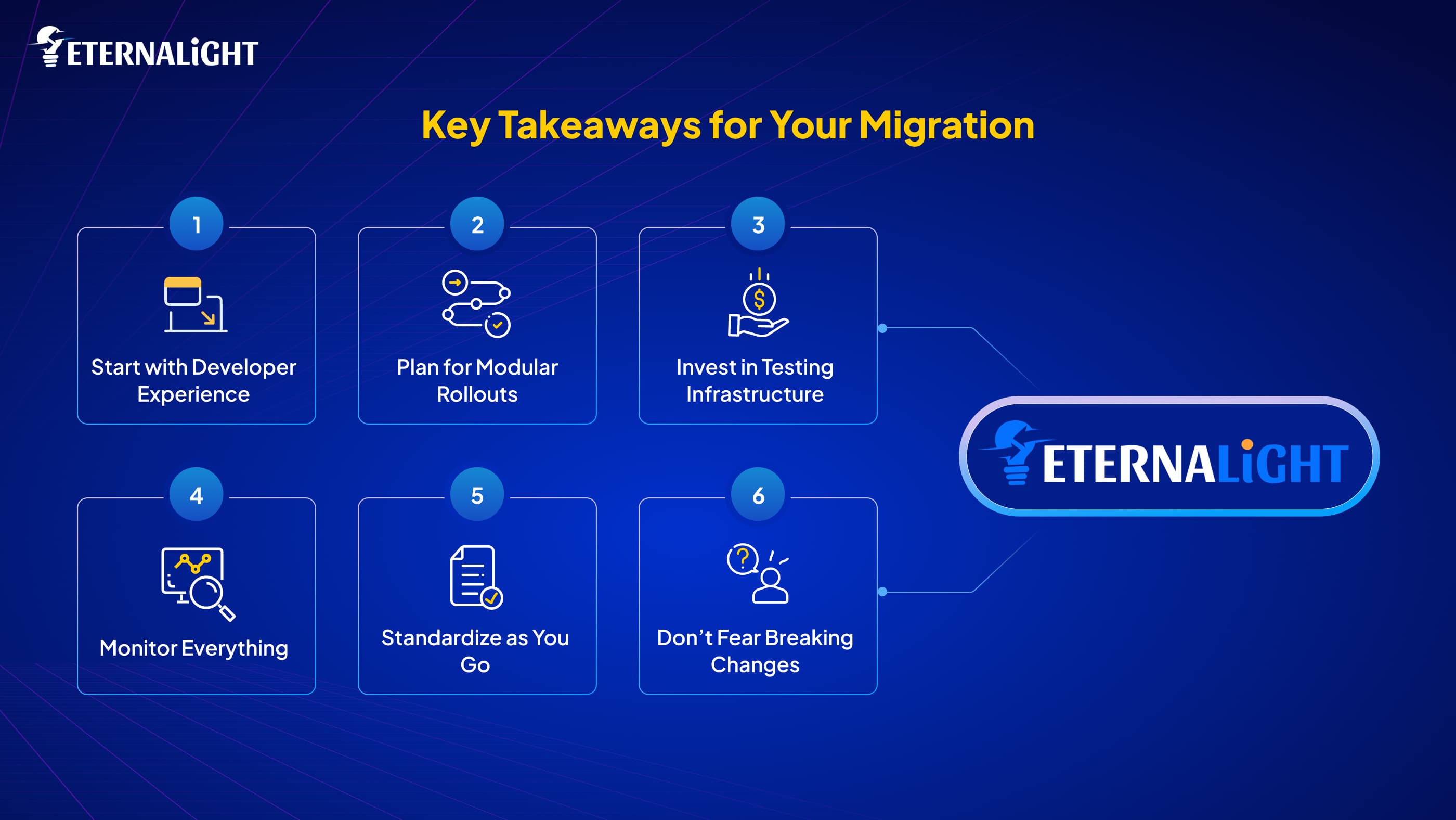
Start with Developer Experience
Migrating to Vite first gave our team immediate wins and built momentum for the harder changes ahead. Quick wins early in the process help maintain team buy-in.
Plan for Modular Rollouts
We broke the migration into feature-based chunks rather than trying to upgrade everything at once. This approach minimised risk and made progress trackable.
Invest in Testing Infrastructure
Having solid E2E tests gave us the confidence to make bold changes. Every hour spent on test setup saved us days of regression research later.
Monitor Everything
Set up monitoring before you start modifying things. You need baseline metrics to measure your success and catch problems early.
Standardise as You Go
Use migration as an opportunity to establish consistent patterns. We created shared component libraries and style guides that will benefit us for years to come.
Don’t Fear Breaking Changes
Sometimes the right path forward requires breaking already existing patterns. We rewrote several core components from scratch rather than trying to patch compatibility issues.
What’s Next
Migrating from MUI v4 to v6 and Webpack to Vite was more than a technical lift; it was a transformation in how we build, test, and scale our frontend. Our React application now feels modern and maintainable. Our users benefit from faster load times and more responsive interactions.
The migration took around 50 days of careful planning and execution, but it was absolutely worth it. We’ve set ourselves up for years of productive development on a solid foundation.
If you’re managing a legacy React app, don’t fear the change. Start small, plan smart, and let modern tools do the heavy lifting.
Ready to modernise your React application?
At Eternalight Infotech, we specialise in comprehensive frontend transformations that deliver measurable performance improvements while maintaining system reliability. Our team has guided numerous organisations through complex migrations.
Get in touch to discuss how we can help transform your development experience and application performance.

Yash Maurya
Frontend Software Engineer
Focused on building clean, responsive, and accessible interfaces for web and mobile. Brings strong experience in React, Next.js, and state management, with additional backend exposure that helps in building well-aligned frontend solutions.
Related Blogs
- Software Development10 Mins
Dedicated Developers vs Freelancers: Which Hiring Model Is Better?
dedicated-developers-vs-freelancers
 Software Development12 Mins
Native vs Cross Platform: Which Mobile Development Fits Your Product Best
Compare Native vs Cross Platform app development based on cost, performance, scalability, and UX to choose the best mobile strategy for your product.
 Software Development10 Mins
Top 10 Python Libraries for Machine Learning in 2026
Explore the best Python libraries for machine learning in 2026 with features, use cases, and practical code examples.