Software Development
10
Mins
Top 10 Android App Development Companies in Pune 2026
Discover the most reliable Android app development companies in Pune that help businesses build scalable mobile solutions.
From Idea to Budget: The Ultimate Guide to Estimating Your App Development Cost
You've got an app idea. Maybe it's the next big thing. You're excited and ready to move fast.
You google "app development cost" and find answers ranging from $500 to $500,000. You choose a number that feels reasonable, contact developers, and face shock when quotes are three times higher than expected.
Or worse, you find a cheaper quote, start building, and run out of money halfway through. Your app remains unfinished.
Despite what it seems, estimating app development cost is not entirely unpredictable. Most people don’t understand what they’re actually buying. They think "fitness tracker app" or "food delivery app’" is enough specification.
It's not. Every app is a myriad of hundreds of interconnected decisions. Every decision will affect your overall cost, timeline and outcome.
If you know the features you want in your application, you’re going to get an accurate estimate of your development costs. Do you need realtime chat or is asynchronous messaging fine? Do you need AI-powered recommendations or will simple filtering work? Do you need to handle 1,000 users or 100,000? These aren't minor details. They're the difference between a few hundred dollars and thousands of dollars.
A good budget shouldn’t be a guess. It should be a map. This guide will help you build that map so you can get to your destination safely and plan your investment with confidence.
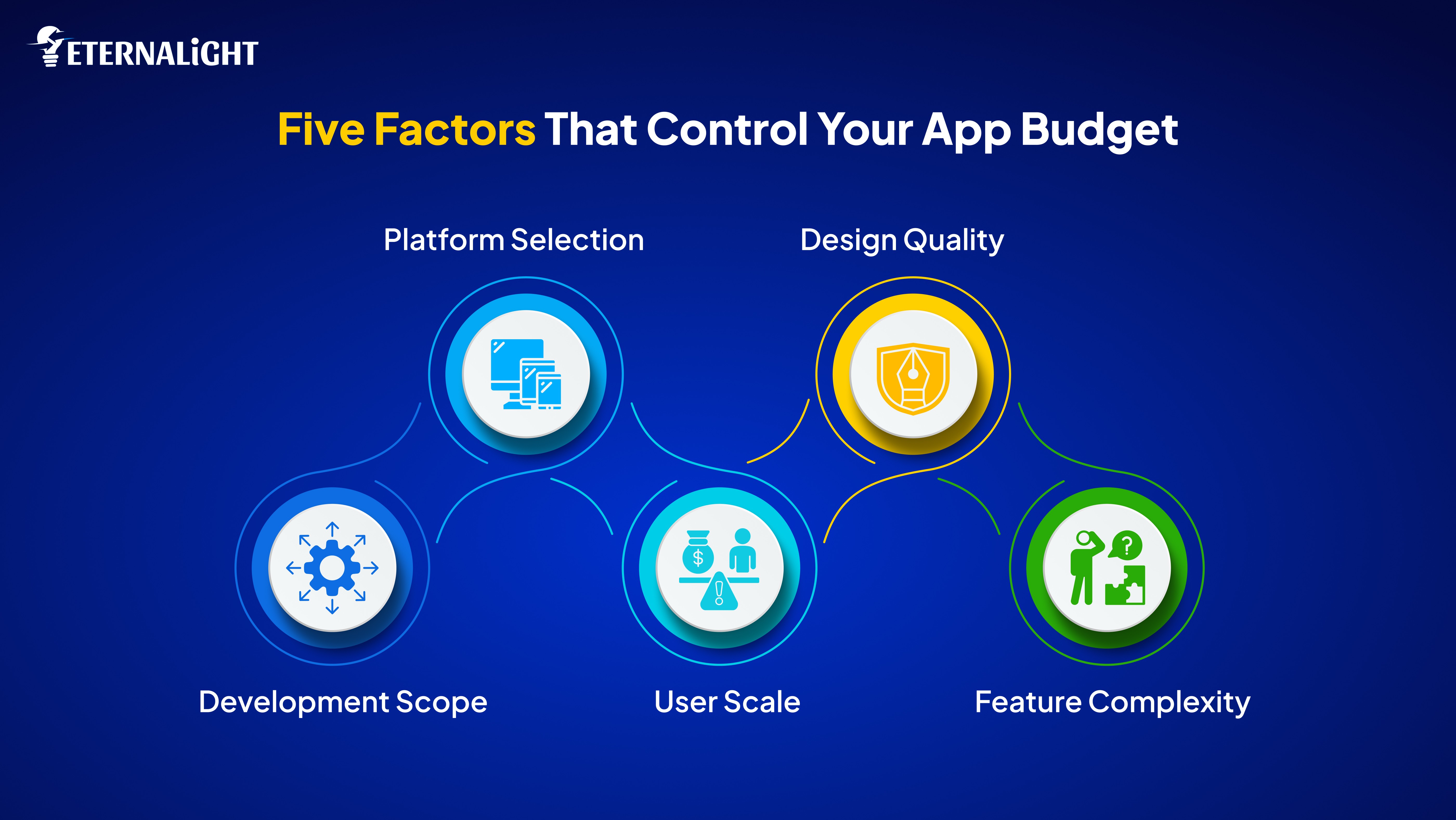
These are the primary drivers of your app budget. Understanding these will help you estimate your budget accurately.
Knowing the development scope of your projects helps you know your single biggest cost decision.
An MVP puts your idea down to its core. It’s not a prototype or a demo. It’s a real, functioning app with only the essential features that help test your fundamental assumptions.
Let’s say you’re building a food delivery app. For a food delivery app, your MVP is:
Restaurant listings
Shopping cart
Payment processing
Order tracking
An MVP with these features will let you test the basic functionality of your app. A full release version might include additional features like customer support, chat integration, etc.
When to choose an MVP?
You're entering an uncertain market with no proof of demand
You have limited capital and need to demonstrate traction
You're a first time founder learning the difference between what users say they want and what they actually use
You can test your core value proposition without sophisticated features
A full release version of your app would include every feature, every possible functionality you want your app to have. This is your complete vision. Every planned feature. A full release version is ready for users and to be put out into the market.
A full release food delivery app may include user profiles, ratings and reviews, realtime chat, push notifications, multiple payment methods, order history, saved addresses, favorite restaurants, and many more features that your MVP build lacked.
Needless to say, a full release version will cost substantially more. They’re launched ready to compete with established players in the market.
When to choose a full release version?
You've validated core demand through an MVP or strong market evidence
You're entering an established category where users compare you to existing solutions
You have the resources and patience for longer development timelines
You need feature completeness to compete effectively
Enterprise applications aren't just bigger consumer apps. They're fundamentally different in architecture, security, and integration requirements.
Think about the difference between your food delivery app and a delivery app like Zomato. The enterprise version needs to handle thousands of people ordering simultaneously across multiple cities, manage hundreds of restaurant partners, coordinate delivery fleets in real time, and process payments at a massive scale without any downtime.
Your enterprise food delivery platform would include features like:
Infrastructure handling 100,000+ concurrent users without performance issues
Realtime management coordinating thousands of delivery drivers
Sophisticated admin dashboards for restaurant partners and operations teams
Advanced fraud detection and security systems
Automated scaling during peak hours
Geographic redundancy ensuring the app works even if servers fail in one region
Detailed analytics and reporting for business intelligence
An enterprise version is more than adding features and bundling it into a release. You’re building an entirely different technical foundation designed for scale, reliability, and business operations.
When to choose an enterprise version?
Your customers are businesses with procurement requirements
You need serious scale from day one, not gradual growth
Integration with business systems is non-negotiable
Choosing the right kind of platform for your application is a necessity. As you add more platforms, the more complex your custom app development process becomes, directly impacting your overall cost of app development.
The most common type of applications are web applications. They run on browsers, allowing users to access them on any device without the need for any installation. You write code once and it works everywhere, on every compatible device. Web app development cost is typically the most cost effective for initial development.
When to choose web applications as a platform?
Your core functionality doesn't require deep device integration. Project management tools, booking systems, marketplaces, and content platforms work perfectly well as web applications.
You want the fastest path to market without app store approval
You're building tools for professionals who work on computers
However it is important to remember that web apps can't access device features as deeply as native apps do. You have constraints with push notifications and offline functionalities. Camera and GPS access requires more permission handling.
The iOS ecosystem requires platform specific development and strict app store approval. iOS Users show higher engagement and spending. If you hire Android app developers later, you'll need a separate build for that platform.
When to choose iOS as a platform?
You are targeting the US/EU market
Your business depends on in-app purchases or subscriptions
You're building premium or professional tools
Design and user experience are critical differentiators
The problem with choosing this type of platform is its requirement of Mac computers and iOS specific skills. It also reaches 30% of global smartphone users and updates are slower due to the app review process.
Android dominates the smartphone market. It has a global market share with 70%+ of smartphone users. Faster approval process and critical for international reach. When you hire Android app developers, you'll need to account for device fragmentation testing.
When to choose Android?
You want maximum global reach, especially in Asia, Africa, and Latin America
Your target users are in emerging or price sensitive markets
You need large user bases (social networks, marketplaces, communication tools)
Market penetration matters more than revenue per user
The tradeoff for choosing android is building for multiple device types with different screens and Android versions. Testing also becomes substantially more complex.
Native apps for Windows, Mac, or Linux. Desktop is the best platform for professionals who need processing power and extended work sessions.
When to choose desktop as a platform?
You're building professional tools for developers, designers, or creatives
Your app requires heavy processing (video editing, 3D modeling, data analysis)
Users spend hours working in your application
You need substantial screen space with multiple panels
Remember that it is expensive to build and maintain your application across different operating systems. Users must manually download updates for desktop apps.
The number of users you're planning for changes your technical architecture completely. Your user scale also helps determine complexity.
Building for a small user scale means basic cloud infrastructure, simple database on a single server, minimal caching. If something breaks, you fix it manually. If traffic spikes, you might have downtime but it won't destroy your business. An example of a small user scale would be 1000 users.
Now you need proper infrastructure.
You need load balancing across multiple servers. Database replication for backups and caching layers to reduce database load. Monitoring systems that alert you and your developers before your users notice problems.
Your code also needs optimization. Database queries that barely mattered at 1,000 users cause cascading failures at 10,000 users. You need staging environments to test changes. You need deployment systems that don't cause downtime.
This is where enterprise infrastructure is required.
Distributed database architecture where data lives across multiple servers. Auto scaling systems that spin up more servers during traffic spikes. Advanced caching strategies and Geographic distribution for fast response times worldwide.
Your team grows at this level. You need DevOps specialists managing infrastructure. Database administrators optimizing queries. Security engineers hardening systems. The complexity exceeds what generalist developers can manage
Users form opinions in milliseconds. Before they have time to understand your features, they have already formed an opinion based on how your app looks and feels.
Design is more than an aesthetic. It's the interface between users and your functionality.
Choosing a template design means choosing pre-built UI component libraries, material design for Android, Standard iOS elements and Pre made layouts from Bootstrap.
Everything works. Users can navigate without confusion. But there's very little brand personality. Your app looks like thousands of others.
Use template design for:
Internal tools where users have no choice
MVPs testing functionality, not visual design
Apps where value is so strong that design doesn't affect adoption
Utilitarian software where users prioritize function over form
Template design is the cheapest option. Fast to implement with no custom design work.
Every screen designed specifically for your app and brand. Your color palette. Your typography. Your visual style. Your personality.
This doesn't mean reinventing every interaction. Good custom design often uses familiar patterns but makes them uniquely yours.
Use custom design for:
Consumer facing apps competing for attention
Products where brand identity affects purchasing
Categories where users have multiple alternatives
Apps where first impressions impact conversion
Custom design costs substantially more. You're paying for design time, iteration, user testing, and implementation of unique visual elements.
This goes beyond static screens. Micro interactions respond to user input with subtle animations. Transitions feel fluid and effortless. Loading states are thoughtfully designed. Error messages have a human touch. The entire experience is skillfully designed to make it as personal and premium as possible. The design doesn't just look good. It feels intelligent and responsive.
Use premium design for:
Design sensitive categories like lifestyle, wellness, or creative tools where design is a primary competitive advantage
Premium products justifying higher prices where design signals value
Complex applications where animation and micro interactions clarify system state and guide users through workflows
Premium design is considerably more expensive.
Not all features cost the same, nor do they have the same complexity level.
These are your basic features that are essential in most applications. Features like text display, basic forms, simple navigation, static content, and standard buttons can be considered as simple features. They are cheap and predictable.
These are features that need more work but use established patterns. Moderately complex features can be user authentication and profiles, Search with filters, Standard database operations, Notifications and alerts. These cost more because they involve multiple connected pieces.
These are technically challenging features that require specialized expertise. Consider a high complexity feature like payment processing. It requires multiple other features like Security hardening, compliance requirements, webhook handling, refund flows, dispute management, fraud detection.
Specialized expertise costs more, but also makes your application the best it could be.
Feature Type | Complexity Level | Development Time | Technical Requirements | When to Include |
|---|---|---|---|---|
Basic Display | Simple | Minimal | Standard coding skills | Always (essential functionality) |
User Profiles | Moderate | Medium | Database, security, validation | MVP and beyond |
Search & Filters | Moderate | Medium | Database optimization, indexing | Full release |
Authentication | Moderate | Medium | Security protocols, encryption | MVP and beyond |
Push Notifications | Moderate | Medium | Platform integration, services | Full release |
Realtime Chat and Messaging | High | Long | WebSockets, state management | Post validation |
Payment Processing | High | Long | Security, compliance, integration | When monetizing |
Video Streaming | Very High | Very Long | Encoding, CDN, infrastructure | After market validation |
AI Features | Very High | Very Long | ML models, training, integration | Competitive differentiator only |
Geolocation | High | Long | Permissions, battery optimization | When location is core value |
Every complex feature increases your timeline and budget significantly. Challenge every feature. Does your MVP really need video streaming or can you validate with text chat first? Save complex features for later, once you've validated whether people actually want your product. Then add sophisticated features based on actual user needs, not assumptions.
A bad budget kills your app. Having an accurate cost estimate is not only important for building, but for sustaining your app. Here’s what happens when you budget wrong:
You can't build 60% of an app. All the features are interconnected. Partial implementation means nothing in your app works properly. You either must raise more money or abandon your project entirely.
When money gets tight, developers start cutting corners. They have to resort to quick fixes instead of proper solutions. Security work gets postponed. This creates technical debt. Technical debt can cost your app in the long run if not accounted for at the beginning.
Wrong budgets will inevitably cause delays. In fast moving markets, a delay could harm your market entry. Your competitors would have already launched by the time you finish building your app.
When you’re using any app cost calculator, including the Eternalight Cost Calculator, you'll see technical terms you may not understand. Here's a simple guide to these terms:
MVP (Minimum Viable Product): The smallest or simplest version that tests your core idea with real users. Not a prototype, but a functioning app with only essential features.
Full Release Version: Your complete vision with all planned features, polished design, and thorough testing. Ready to compete with established players.
Enterprise: Built for organizations with advanced security, scale, compliance certifications, and integration with business systems.
Web: Browser based applications that work on any device without installation. Fastest to market, most cost-effective, but limited device feature access.
iOS: Apple ecosystem applications requiring platform specific development. Higher spending users, strict review process, significant additional cost.
Android: Has the largest global market share for smartphones. Similar cost to iOS but requires more testing complexity across thousands of device types.
Desktop: Native apps for Windows, Mac, or Linux. Necessary for power users, professional tools, or apps requiring heavy processing.
1,000 Users: Basic infrastructure that is appropriate for MVPs and early stage products. Modest additional costs.
10,000+ Users: Proper infrastructure with load balancing, caching, and monitoring. Meaningfully higher costs.
100,000+ Users: Enterprise infrastructure with distributed systems, auto scaling, and specialized operations team. Expensive setup and ongoing costs.
Template: Pre-built components and standard layouts. Functional but generic.
Custom: Unique visual identity designed specifically for your brand. Standard for consumer facing apps and custom app development.
Premium with Animation: Exceptional experience with micro interactions and fluid transitions. Perfect for design sensitive categories or premium products.
Email + Password: Traditional login requiring password recovery flows and security measures. Moderate complexity.
Mobile + OTP: Phone based authentication with one time codes via SMS. Less friction, requires SMS integration.
Social Login: Users authenticate through Google, Facebook, or Apple. Fastest onboarding, easiest to implement.
SSO (Single Sign-On): Enterprise authentication integrating with company identity systems. Most complex and expensive.
Multi-Language Support: Displays the app in different languages with translation management.
Dashboard: Interface for viewing data and controlling settings. Ranges from simple displays to sophisticated business intelligence dashboards.
Chat: Realtime messaging between users. Can be basic text or include multimedia, typing indicators, and persistent history.
Upload: User file submission requiring storage management, processing, and security. Complexity increases with file types.
Video/Audio Streaming: Media delivery requiring encoding, adaptive streaming, and CDN infrastructure. Very high complexity.
Geo Location: GPS based features like location tracking, proximity search, or mapping. Requires permission handling and battery optimization.
Push Notifications: Alerts delivered to devices even when the app is closed. Essential for engagement.
Rating & Reviews: User feedback system with moderation capabilities. Includes rating calculation and abuse prevention.
Invoice Generation: Automated billing document creation with customizable templates and tax calculation.
Payment Processing: Accept credit cards or digital payments using third party platforms. Requires security implementation plus transaction fees.
Email Services: Send transactional or marketing emails through SendGrid, Mailgun, or similar. Has a moderate setup, low per-email costs.
SMS: Text message delivery for verification or alerts. Development costs plus per message fees.
Analytics: Tracks user behavior through Google Analytics, Mixpanel, or Amplitude. Essential for measuring and improving your app.
CRM Integration: Connect to Salesforce, HubSpot, or similar for sales workflow integration. High complexity for B2B applications.
AI Integration: Machine learning features through OpenAI, Google Cloud AI, or AWS. Very high costs for development and ongoing usage.
Maps: Interactive mapping through Google Maps, etc. Moderate development, usage-based pricing.
Basic Security: Firewalls, DDoS protection, data encryption, and web application firewalls. Foundational requirements for all production apps.
PCI DSS: Credit card data handling certification. Expensive compliance or use services like Stripe to avoid.
HIPAA: Healthcare patient data requirements. Mandatory for medical applications, comparatively expensive.
SOC 2: B2B SaaS trust standard. Required by many enterprise customers.
GDPR: European privacy law applying to apps with EU users. Moderate compliance costs.
ISO 27001: International security certification demonstrating systematic approach. Very expensive but sometimes required.
Analytical Tools: Google Analytics (free), Mixpanel, Amplitude, New Relic, Segment, or Clarity for understanding user behavior.
Admin Dashboard: Control panel with data operations, metric dashboards, graphs, user management, and configuration.
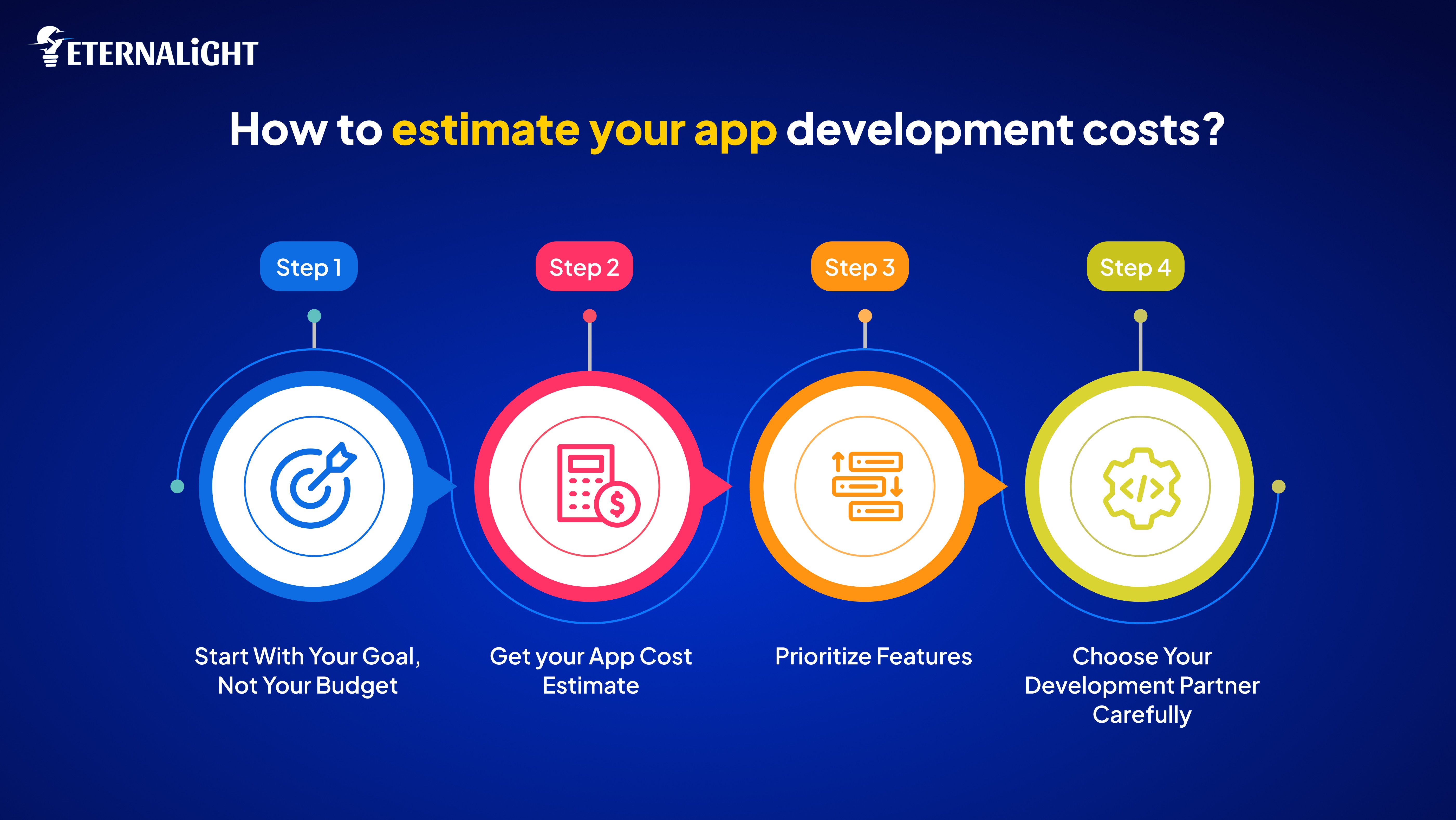
Now that you’ve understood all the factors that influence your app budget, as well as the terms mentioned in an app cost calculator, you can use the following blueprint to get started with your cost estimate.
Define what success looks like first. Validating an idea? Build an MVP. Competing in an established market? Full release. Building for an existing business? Enterprise.
Decide the feature complexity, the essentials needed in your app. Your goal will decide your budget requirements.
Use the Eternalight Cost Calculator to translate your requirements into correct estimates. Answer honestly. Use the above guide for additional help with the answers. When you're wondering how much does it cost to create an app, remember that an app cost calculator provides estimates and ballpark figures based on your requirements. No two apps will cost the same.
Categorize your features into essentials, high value and future features. Essential features should be ones without which your app cannot function. High value features are features that improve experience significantly and future features are ideas that can wait.
Build only essential and high value initially. Every deferred feature means faster launch and more capital for iteration.
Look for partners who:
Ask clarifying questions before quoting a price
Show similar complexity projects
Explain options and tradeoffs clearly
Provide detailed proposals
Communicate with clarity
Check references. Talk to previous clients about communication and delivery. At Eternalight, we have had a successful track record of building high value projects for our clients.
Plan for 12-18 months of operation beyond the launch window. Development costs plus hosting, maintenance, marketing, and feature additions. Better to build a smaller app you can sustain than a sophisticated app that you abandon. It’s also important that you have additional reserves planned in case of unforeseen problems.
Development is just the beginning. Most founders budget for building the app but forget everything that comes afterwards. These hidden costs add up fast. A sudden traffic surge from going viral or getting press coverage can multiply your monthly bill overnight. You need to budget for these spikes, not just your average usage.
Maintenance takes up a significant amount of your budget. This includes bug fixes, operating system updates, security patches, and minor improvements to keep your app running. Users expect apps to stay current, fix issues quickly, and improve over time.
Marketing is another aspect you have to cover for and it isn’t optional. The best app in the world becomes useless if nobody knows about it. Without users, you have nothing to validate, no feedback to iterate on, and no revenue to sustain operations on.
Beyond technical upkeep, there are other costs like third party fees or customer support upkeep. It is important to remember that these costs happen after your app launch, and are recurring expenses to take care of. Choosing the right technological partner ensures that the post launch costs are clearly defined and explained to you, and maintenance and upkeep becomes easy.
That million dollar app idea you have? It’s just a spark. Ideation is only the beginning. As you start working on your idea, you need to have a clear cost estimate for your app development needs. We’ve made the process easy for you with our app cost calculator. With the right framework, you can estimate correctly and plan confidently. Try the Eternalight App Cost Calculator to find an accurate estimate.
Once you have your answers, review the breakdown. Then reach out to our team at Eternalight. We'll help you refine your budget, prioritize the right features, and help you bring your vision to reality.

Gauri Pandey
(Author)
Technical Content Writer
Frequently Asked Questions
Contact us
Send us a message, and we'll promptly discuss your project with you.