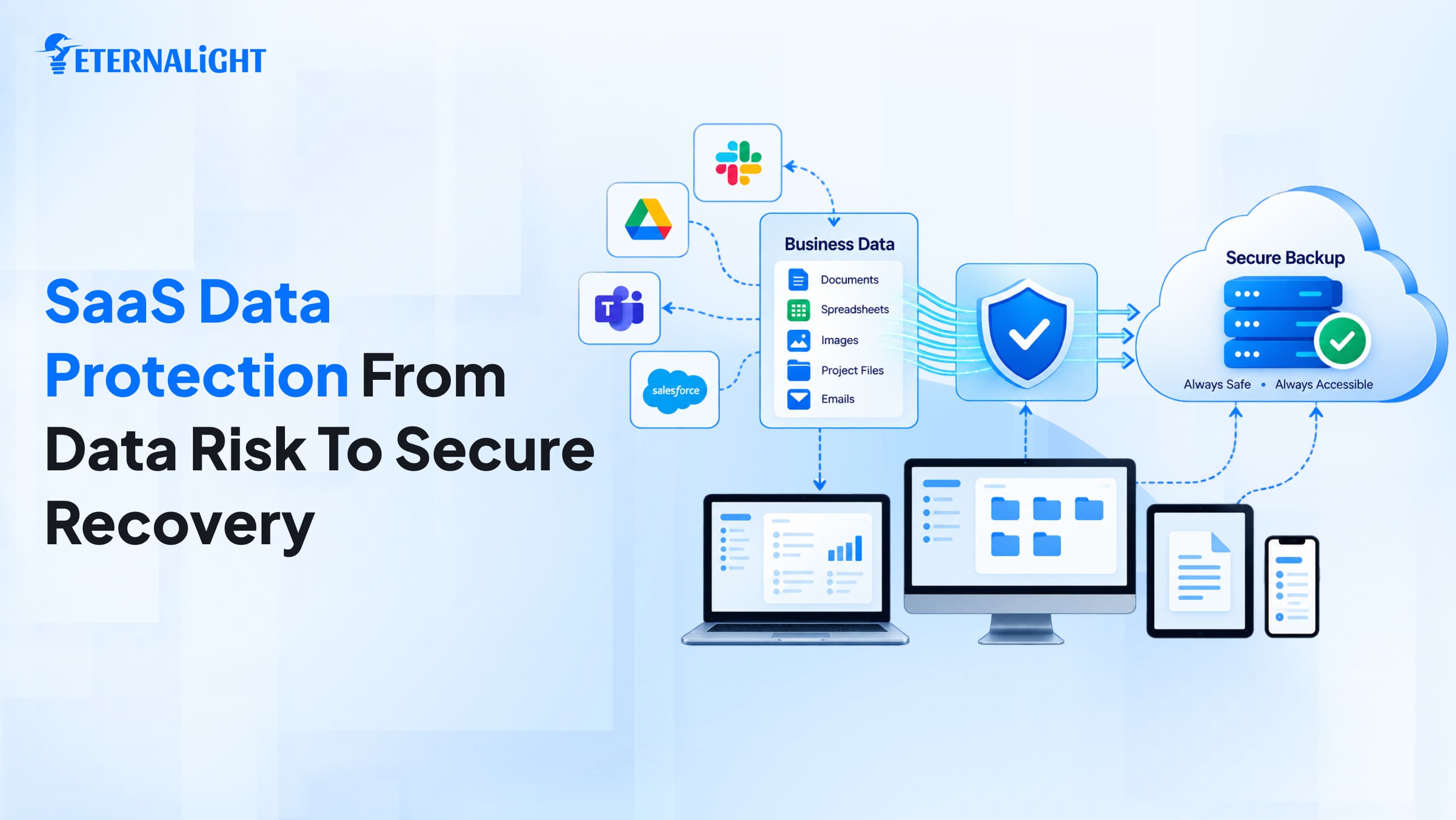
Today, businesses across every domain hire SaaS companies to build the cloud-driven software they need, with the flexibility and robustness to manage operations with confidence. They need to keep up with clients and manage documentation, finances, and technical tasks.
SaaS apps bring this accessibility effortlessly. Business professionals don’t need to care about where the exact no. file is placed in which almirah; there is no risk of natural disaster.
They can access the process from any system, anywhere, without any physical infrastructure needs. But here’s a catch that needs your attention.
No matter how tech-literate you are, and even if you choose the best, most reliable cloud service provider, you are responsible for your organization's data; it shouldn’t fall into unauthorized hands.
SaaS providers host the app, provide the space and infrastructure to communicate with clients through email and chat, and store the data.
But what if an important file gets misplaced, corrupted, or deleted; an intruder sends ransomware to your system; or you click the wrong configuration rule and put your business data on hold, preventing it from fully syncing?
This blog highlights the need for SaaS data security and the reasons it matters.
SaaS Data Protection: What Does It Actually Mean?
SaaS data protection and security aren't a luxury; they're mandatory for every organization's growth.
Move beyond traditional workflows and understand that backups aren’t the only protection. SaaS applications offer convenience with 24x7 service availability, but that doesn’t mean everything hosted on the platform is free from risk. Disaster can happen at any moment due to unauthorized access with a single click, or due to a long integration.
So an organization should have stronger data recovery strategies, unbreakable authentication & authorization, and the best technologies, with multi-cloud access to distribute risk. If something goes wrong, the organization can access important information without compromising security or data quality.
Why Do Businesses Need SaaS Data Protection?
All SaaS service providers claim that they are reliable and robust and fit for every organization, but that’s not 100% true, and we know that. No need to live in misconceptions and rely on myths, but look for protection to avoid any potential risk. Discussing those misconceptions and the reasons that lead to data failure.
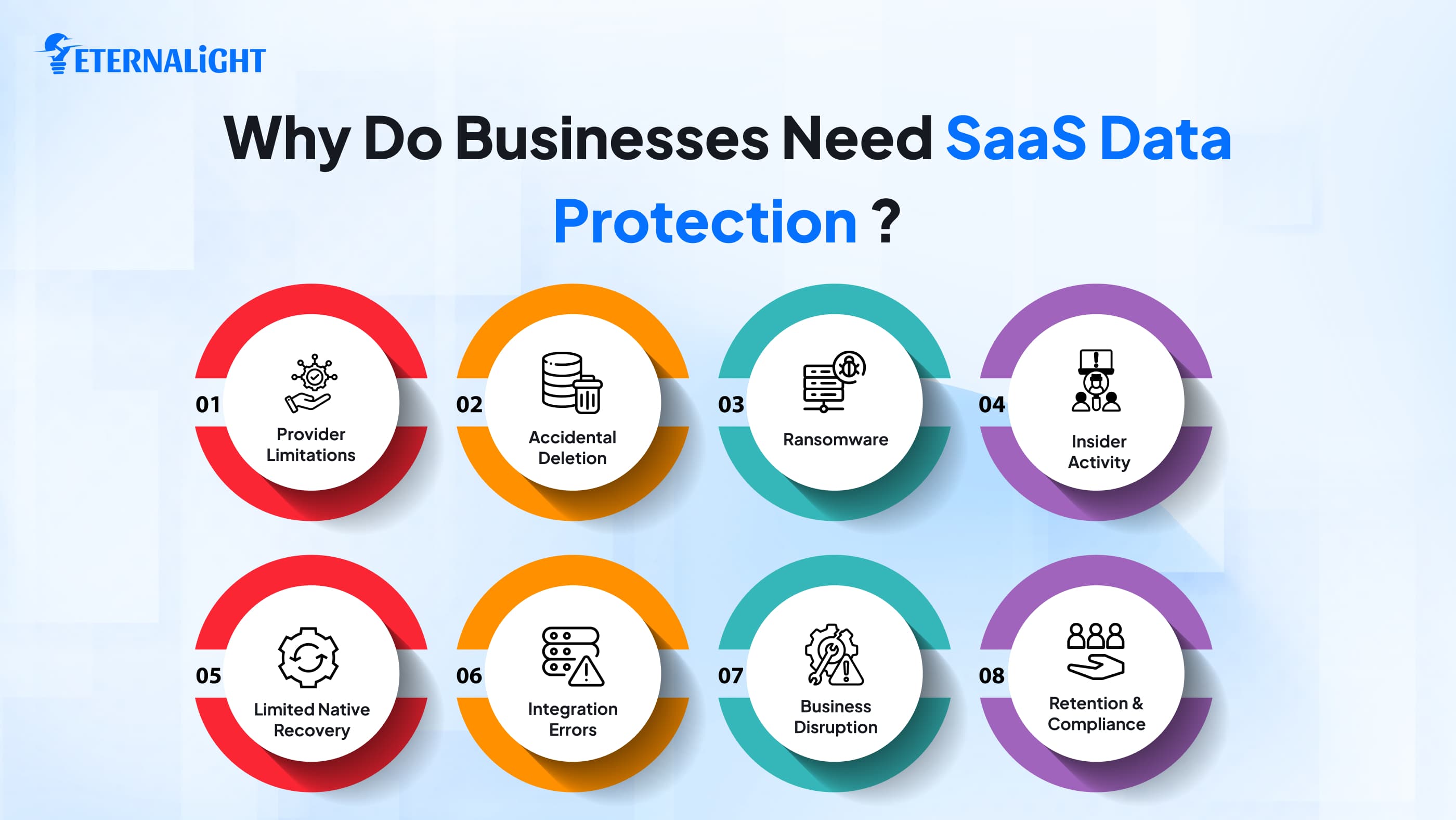
1. SaaS Providers Do Not Cover Every Data-Loss Scenario
You accessed the SaaS platform's services after researching and investing for weeks; you got flexible, reliable, cloud-based digital infrastructure, along with more secure storage for emails, messages, and other information. Configured all the integrations and permissions and synced the accounts properly. All applications worked without friction, but suddenly, when you tried to find a specific file or folder, you got a message: " This file or folder no longer exists.
Data loss, and you have no idea where it went; that's when it becomes an organization's job to dig into data recoverability, because even a reliable cloud platform doesn’t guarantee full protection.
2. Native Recovery Features May Not Be Enough
Just as a regular PC has a recycle bin or trash bin, cloud apps also have similar options, so if a file or data gets deleted, the user can restore it from there. But relying only on them isn't wise. You must have a SaaS backup and recovery strategy based on your needs, complexity, and data type. The recycle bin enables independent, long-term data restoration whenever you need it.
3. Insider Activity Can Affect Business Data
Focusing on preventing organizational data loss from external cyber attackers, we may forget that insiders can also cause breaches and outages by disguising themselves as employees.
They may have access to sensitive information that can’t be shared with everyone, and for some reason, their clients can access it. Sometimes, employees intentionally type the wrong lines of code and inject spammy words and functionality during their end-of-employment or notice period just to annoy people and waste their time.
That's why you need strong authentication and authorization, plus SaaS data prediction and backup. Focus on adding an extra layer of security and an isolated backup option.
4. Employees Can Accidentally Delete or Change Important Data
If data is accidentally misplaced, you may not know when it happened. It’s common. Suppose an employee is running a routine tech audit or writing code and suddenly presses the wrong key, wiping out the database or adding an unnecessary function. It will halt the system workflows. Or it could cause major business loss.
That's where SaaS data protection comes in: it's a required practice to avoid common human errors. If roles and permissions are clearly defined and compliance measures are in place, only the responsible people can make changes, and you can recover data if it's misplaced or wiped out.
5. Data Retention and Compliance Requirements Matter
Not all data and information must be retained; some can be wiped once the requirement or project ends. Some data must be strictly protected with specific access controls and authentication practices.
Organizations need to hire the right person to manage data records, aligning their requirements and compliance with their domain-specific needs. This helps them maintain strict discipline and plan a review and recovery strategy for data backups.
6. Ransomware and Compromised Accounts Can Put SaaS Data at Risk
Have you heard of an AWS or Cloudflare outage, or similar scenarios or cyberattacks?
Some industry events have shown attackers exploiting systems through unexpected credential-access attempts and compromising privacy.
Recently, intruders accessed Bank of Baroda employees' credentials, and millions of users' data became accessible; they can do anything with that data.
Thus, organizations should proactively adopt security mechanisms to encrypt information and secure access with multi-factor authentication, biometric configuration, role-based access, and threat-monitoring analytics tools to avoid the pain of ransomware-type attacks.
The attack has already affected systems and organizational operations, but the question now is how to recover proactively.
7. Integrations Can Create Additional Data Risks
One cloud app isn’t enough to run a business workflow; businesses need a full suite of cloud applications. To automate tasks and ensure regular access, APIs, integrations, and tools should map well. Otherwise, one misconfigured feature can cause faults, configuration errors, and synchronization issues. If data backup sources are isolated and all data stays up to date with the latest version, apps can’t swap important information or overwrite code.
8. SaaS Data Loss Can Disrupt Business Operations
Data and insights are essential for informed business decisions and future planning. If the business encounters a data failure, it can lose most data records, documents, client contracts, and emails.
In this case, it becomes difficult to reach out to prospects and manage day-to-day tasks. Creating those documents and contracts becomes an added responsibility, and projects take longer to complete. Managing data and workflows during outages is manageable for a short time, but if it persists, it will cause major disruption.
What Should a SaaS Data Protection Strategy Cover?
Every business's workflow and users vary, so you can’t use a one-size-fits-all SaaS data protection strategy. Before enforcing any SaaS data protection strategy, the organization should evaluate key factors.
Risk Proof Planning & Authorization
Determine the importance of the data you want to back up, apply strict access-control rules, and divide responsibilities among assignees. Once you know who is responsible for what type of data, restoration and recovery become easier. Apply essential access-control rules for appropriate data use.
Multiple Independent Sources for Backup
Isolate data copies in a different app or on portable devices so you can recover essentials later without relying on the original native applications.
Complaint-driven Data Retention
Not all information needs to be stored long-term; also, cloud service platforms change their policies and norms every year. If we keep storing data and don’t revisit it, storage will run out, and we'll need to purchase more. Confirm whether we will keep retaining the data or we can remove it, and whether it is secure and compliant for the long term.
Test the Backup Once
You’ve turned on the backup data and got the notification in a while that the data is securely backed up, but with that single sentence, don’t go into relax mode. To avoid risk and future panic, test regularly to ensure your backups are available, accessible, and free of system incompatibility issues.
How to Identify Gaps in Your SaaS Data Protection
Do you already use any SaaS security apps to protect data or workflows, or are you exploring relevant advanced options?
Do you know which applications you access most often in your day-to-day operations?
You can schedule a call with all the stakeholders to discuss the business data and utility, and plan the circular to confirm the following:
- Important data respective to each application
- Do they have any strategy or plan B for access?
- If they manage the business without that data? How long can they sustain in that failure?
- Do they have a recovery strategy or data restoration mechanisms that they can perform without any intervention from a technical professional?
- How long does a service outage take to resolve?
- Who has control over data recovery?
- Are the application and its data accessible from third-party integration?
- Do you regularly perform the recovery process?
Do you feel you need to review the above-mentioned points?
Do you know the data retention period for each application you installed on your organization's system?
When was the data last tested? If you haven't reviewed your SaaS Data yet, do so now to reduce the risk of data loss.
Final Thoughts
Using SaaS development company services is common because they drive business efforts effortlessly by providing infrastructure, including API integration, storage, and other accessibility features. Employees can share access to a few drives and use features to collaborate easily. They prefer these SaaS apps for flexibility and convenience, and to reduce the risk of physical disk failure.
But that doesn’t mean all these apps are secure; they can be compromised, crash due to ransomware, grant unauthorized unlimited access, and violate compliance. This compromises the organization's privacy, causes data risk, and is hard to recover. To prevent unexpected data outages and cyber threats, organizations should plan ahead for potential security gaps with a fault-recovery mechanism and a backup strategy.

Ayushi Shrivastava
Senior Content Writer
Ayushi is a Content Strategist at Eternalight Infotech with 4 years of experience in transforming complex ideas into clear, engaging, and SEO optimized narratives. She specializes in crafting impactful content strategies that enhance brand visibility and drive meaningful engagement across digital platforms.
Related Blogs
- Cloud & DevOps5 Mins
Compare Why Next.js Is Cloud-Native by Design (and React Is Not)
Discover why Next.js is considered cloud-native by design. Learn how it differs from React in serverless deployment, edge functions, scalability, SEO, and modern web application development.
 Cloud & DevOps9 Mins
Cloud Migration Strategy 2026: A Complete Guide to Process, Plans, and Costs
Learn the various types of strategies used for cloud migration in 2026. This guide covers everything from process to the right migration plan.
- AI & ML10 Mins
AI Data Security Strategies: 8 Ways to Protect Data in AI Systems
Explore 8 AI data security strategies to protect sensitive data across prompts, AI models, RAG systems, APIs, access controls, storage, and outputs.
&w=3840&q=75)