Location-aware features are no longer “nice to have”. From food delivery and ride-hailing to fitness tracking and hyperlocal discovery, geolocation has quietly become part of our everyday app experience. Most of us don’t think about it, we just expect the app to know where we are, show what’s nearby, and do it without killing our battery.
When location features work well, they feel invisible. When they don’t, users notice immediately.
At Eternalight Infotech, we spend a lot of time studying how successful products approach location not just from a technical lens, but from a user and product perspective. One clear pattern stands out: integrating geolocation in React Native is less about getting latitude and longitude and more about choosing the right method, optimizing intelligently, and respecting user trust.
In this blog, we’ll walk through:
- Different ways to build geolocation features in React Native
- Popular libraries and when they make sense
- Practical optimization strategies that matter in real apps
- How well-known products use location in the real world
- What we believe is the most balanced, production-ready approach
Let’s get into it.
Understanding Geolocation in React Native
At its core, geolocation is about determining where a device is in the physical world. Mobile platforms do this by combining data from multiple sources:
- GPS for high accuracy (but higher battery usage)
- Wi-Fi positioning for quicker, mid-range accuracy
- Cell tower triangulation for rough, low-power estimates
React Native doesn’t talk to these sensors directly. Instead, it relies on native Android and iOS APIs, which are exposed to JavaScript through libraries. That’s why choosing the right library and using it correctly matters so much.
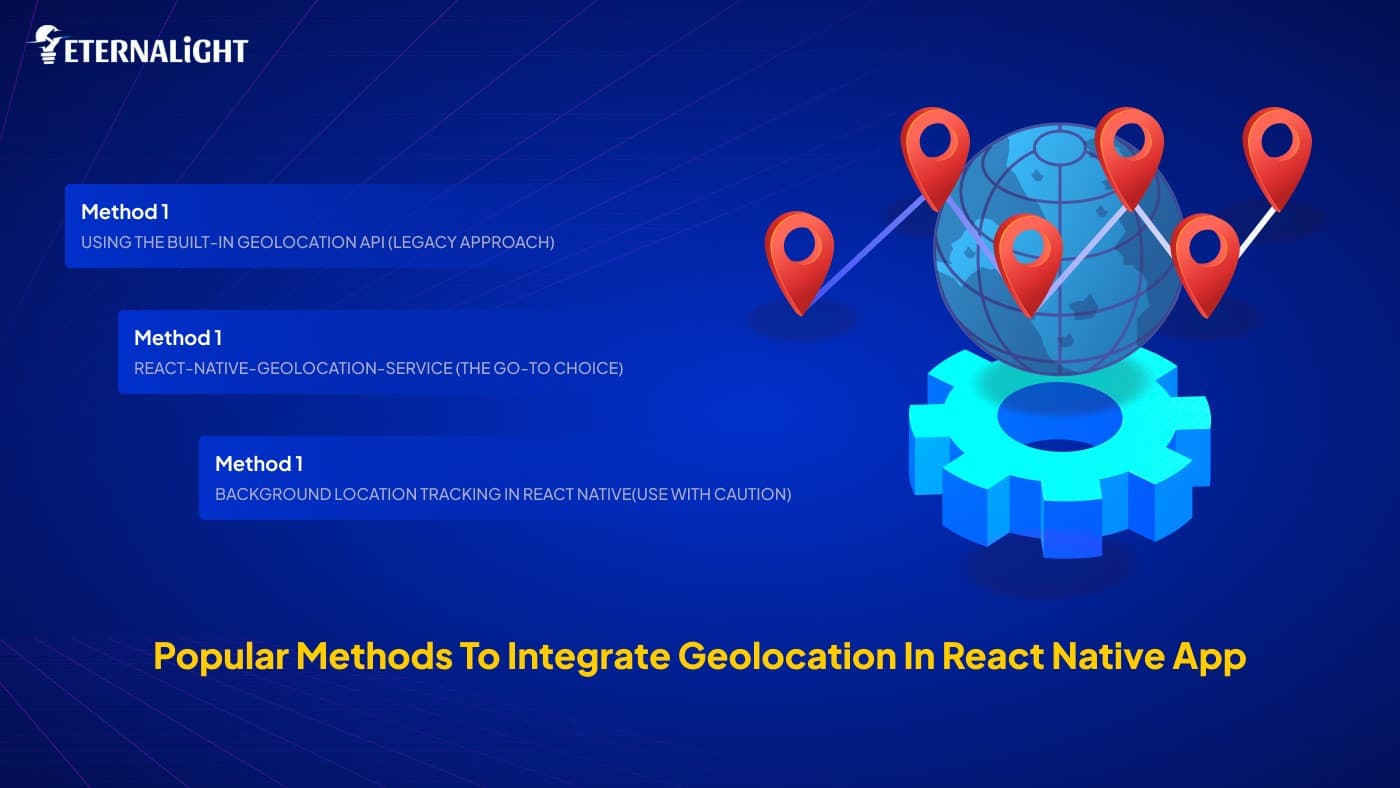
Popular Methods to Integrate Geolocation in React Native App
Method 1: Using the Built-in Geolocation API (Legacy Approach)
Early versions of React Native exposed location access through navigator.geolocation. While this still works in some setups, it’s now considered legacy and isn’t recommended for modern apps.
Why Geolocation in Mobile App Falls Short Today
- Limited control over accuracy and updates
- Inconsistent behavior across Android and iOS
- Weak background location support
- No active maintenance
When It Can Still Make Sense
- Quick prototypes
- Internal or experimental tools
- Apps that only need a one-time location fetch
For most production-grade apps, teams have moved on to more reliable solutions.
Method 2: react-native-geolocation-service (The Go-To Choice)
This is one of the most commonly used geolocation libraries in the React Native app development ecosystem and for good reason.
Why Teams Gravitate Toward It
- Uses Google Play Services on Android for better accuracy
- Actively maintained
- Supports configurable accuracy levels
- More predictable permission handling
Common Use Cases
- Fetching the user’s current location
- Location-based search or discovery
- Periodic updates while a screen is active
Where Teams Need to be Careful
High accuracy mode is powerful, but expensive. If it’s left running longer than needed, battery drain becomes very noticeable.
In practice: this library works best when location is fetched on demand, not continuously.
Method 3: Background Location Tracking in React Native(Use With Caution)
Some apps genuinely need location updates even when the app isn’t in the foreground. Think of:
- Delivery partner tracking
- Fitness activity recording
- Navigation and safety apps
This is where background location libraries come in.
Common Options
react-native-background-geolocationreact-native-background-actions(combined with geolocation)
Why This is Tricky Territory
- Strict OS restrictions, especially on iOS
- Higher battery consumption
- App store review risks
- Complex permission explanations
From what we’ve observed across successful products, background location tracking in React native is rarely the default. It’s usually enabled only during specific user actions and disabled immediately after.
Permissions: Where Most Apps Get It Wrong
We’ve all seen it: open an app for the first time and instantly get hit with a location permission popup before we even understand why the app needs it.
That’s a fast way to get a denial.
What Works Better in Real Apps
- Ask for location only when the feature needs it
- Explain the value before triggering the system prompt
- Handle every state gracefully:
- Granted
- Denied
- Permanently denied
- Provide meaningful fallbacks if location isn’t available
Apps that respect user intent tend to see higher opt-in rates and better long-term trust.
React Native Development Optimization Strategies That Actually Matter

This is where good mobile app geolocation implementations separate themselves from frustrating ones.
1. Pick the Right Accuracy Level
Not every feature needs GPS-level precision.
- Use high accuracy for navigation or live tracking
- Use balanced or low accuracy for nearby listings or city-level data
2. Avoid Continuous Tracking by Default
Instead of tracking all the time:
- Fetch location when needed
- Stop updates as soon as the task is done
- Use sensible distance or time thresholds
3. Throttle Location Updates
If you’re listening to changes:
- Throttle callbacks
- Ignore very small movements that don’t impact UX
4. Cache Smartly
In many scenarios, the last known location is more than enough. Refresh it only when it actually affects the experience.
These small decisions have a huge impact on battery life and perceived app quality.
Read more on React performance optimization to avoid any issues.
Reverse Geocoding: Turning Coordinates Into Context
Latitude and longitude mean nothing to most users. They want to see:
- A city name
- A neighbourhood
- A nearby landmark
That’s where reverse geocoding comes in.
Common Approaches
- Google Maps Geocoding API
- Mapbox Geocoding API
- Apple Maps (iOS-focused)
Many mature apps handle reverse geocoding on the backend, cache results, and avoid repeating expensive API calls unnecessarily.
Real-World Examples: How Popular Apps Use Location
Let’s look at how location is used in apps we’ve all interacted with.
Food Delivery Apps (Swiggy / DoorDash–Style)
When you open a food delivery app, it usually knows your area almost instantly. But behind the scenes, it’s surprisingly restrained.
What typically happens:
- Location permission is requested when the home screen loads
- The user’s location is fetched once to show nearby restaurants
- Continuous tracking is avoided for customers
- Background tracking is reserved for delivery partners during active orders
This approach keeps battery usage low while still delivering accurate, relevant results.
Ride-Hailing Apps (Uber–Style)
Ride-hailing apps are a great example of context-aware accuracy.
- High-accuracy tracking is enabled only during an active ride
- Location updates are frequent while the trip is in progress
- Once the ride ends, tracking is immediately scaled back
As users, we feel this as smooth real-time movement without wondering why the app keeps tracking us afterward.
Fitness Apps (Strava–Style)
Fitness apps are one of the few categories where users expect background location tracking.
- Tracking starts explicitly when the user taps “Start activity”
- Location updates run in the background during the workout
- Tracking stops the moment the activity ends
Clear user intent makes all the difference here, both for permissions and trust.
What We See as the Most Balanced Approach
Based on patterns across successful products, we at Eternalight generally advise React Native app development teams to default to:
react-native-geolocation-servicefor foreground location needs- Contextual permission prompts tied to user actions
- On-demand location fetching instead of continuous tracking
- Server-side distance calculations where possible
- Background tracking only when the product truly requires it
This approach tends to strike the right balance between accuracy, performance, and user trust.
If you want to learn more about scaling, cleaning and modernization in React Native apps get assistance.
Conclusion
Integrating location tracking in React Native isn’t just a technical task it’s a product decision.
The best implementations are the ones users barely notice. The app feels fast, relevant, and respectful of their battery and privacy.
At Eternalight Infotech, we believe that learning from real-world usage patterns and designing location features around actual user behaviour is what leads to scalable, reliable mobile experiences.
If you’re planning to add or refine geolocation in React Native app, start simple, optimize early, and let real usage guide how far you go.

Yash Maurya
Frontend Software Engineer
Focused on building clean, responsive, and accessible interfaces for web and mobile. Brings strong experience in React, Next.js, and state management, with additional backend exposure that helps in building well-aligned frontend solutions.
Related Blogs
 Software Development9 Mins
Why Choose Python for Fintech App Development?
Learn how Python helps fintech businesses build scalable, data-driven applications with powerful support for analytics, AI, APIs, and automation.
- Software Development8 Mins
Is It Time to Build Off the Self vs Custom Software for Your Business?
When should you build custom software? Learn the key signs, costs, limitations, and factors to consider before choosing custom software for your business.
- Software Development11 Mins
Website Security Checklist: What to Check Before It's Too Late
Worried about website security? Use this practical website security checklist to spot common risks and protect your website, data, and users.