

The Development of an AI-Powered Financial Asset Extractor: 74% to 99% Accuracy.
The Development of an AI-Powered Financial Asset Extractor: 74% to 99% Accuracy.

The Development of an AI-Powered Financial Asset Extractor: 74% to 99% Accuracy.

Struggling with the Problem of Hidden Financial Assets in Your Inbox. Check This Blog How We Solved it with AI-powered Email Classification Tool

Struggling with the Problem of Hidden Financial Assets in Your Inbox. Check This Blog How We Solved it with AI-powered Email Classification Tool

Written By :

Written By :

Tarun Kumar

Tarun Kumar

Published on:

Published on :

Read time :

Read time :

9

9

Mins

Mins

Eternalight Blog BG Cover
Ai powered email classification financial asset extractor

In the era of the Internet, we have money-lotto email inboxes. Bank statements, insurance policies, brokerage confirmations, real estate documents, all of them are delivered by email. But here's the challenge: How do you systematically track and organize all your financial assets when they're scattered across thousands of emails?

The process of manual tracking financial assets is tiresome and prone to errors. The best accuracy of traditional regex-based parsing is 74%. What if we could use AI to automatically extract, classify, and organize this information with 99% accuracy?

That is what we have constructed and here in this article, will take you through construction, challenges with it, and solutions for email classification for Financial Asset.
How Our AI powered Email Classification Tool Solved Real World Problems?

How Our AI powered Email Classification Tool how it works| Eternalight

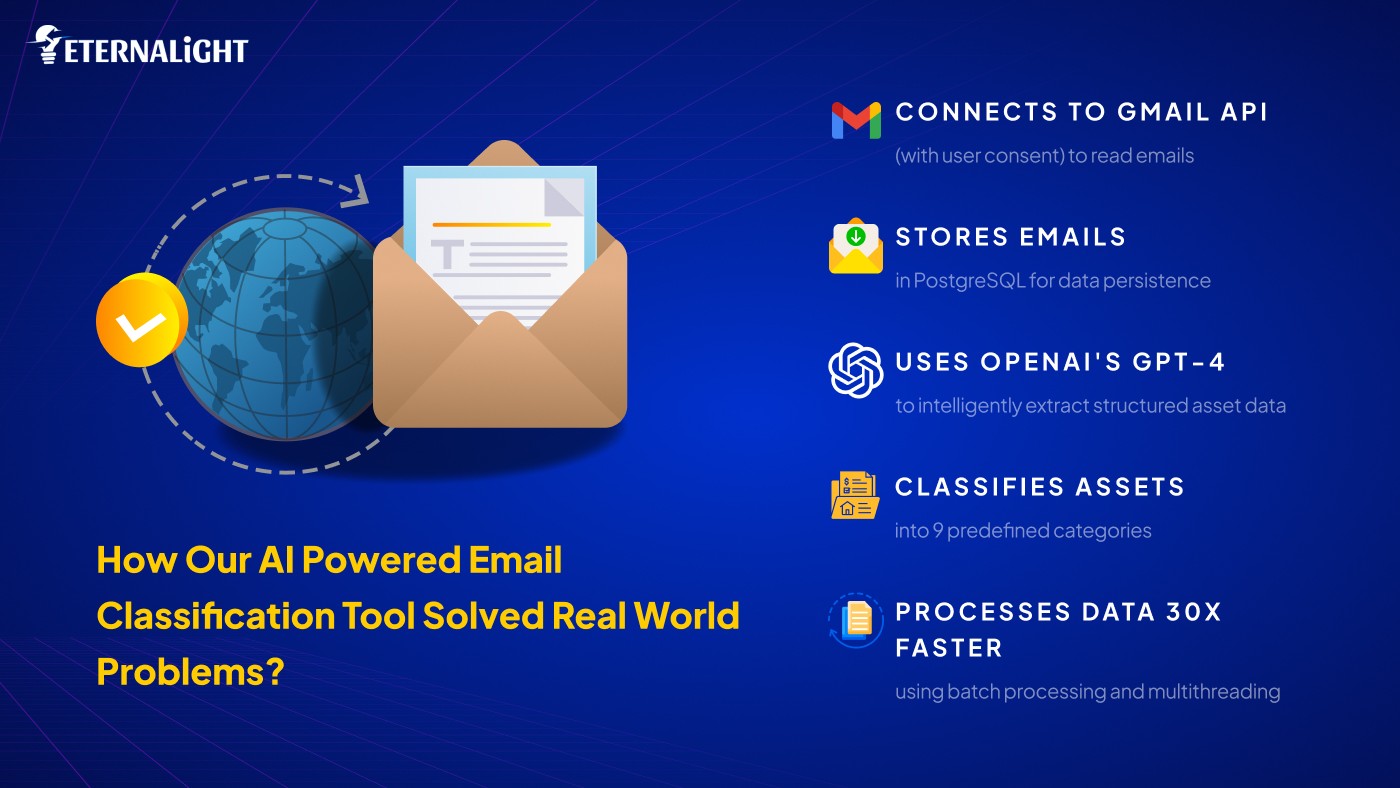
At Eternalight, we built a Java Spring Boot application that:

  • Connects to Gmail API (with user consent) to read emails

  • Stores emails in PostgreSQL for data persistence

  • Uses OpenAI's GPT-4 to intelligently extract structured asset data

  • Classifies assets into 9 predefined categories

  • Processes data 30x faster using batch processing and multithreading

Asset Categories Supported by Our AI powered Email Classification Tool

  • Bank Accounts

  • Brokerage Accounts

  • Insurance Policies

  • Retirement Accounts

  • Real Estate

  • Professional Contacts

  • Crypto Accounts

  • Safe Deposit Box

  • Vehicle Information

The Journey: From Regex to AI

Breaking down our approach in three unique sections how we have navigated this critical scenario with email classification for financial assets.

Approach 1: Pure Regex Approach

This step will be the first step at trying to extract some form of data in emails with the application of basic regular expressions only. Although the method was quick and inexpensive, it had difficulty with the variability of emails in real life, language ambiguity and varying patterns of account numbers- indicating the weakness of rule-based systems.

Results: 74% accuracy, ₹0 cost, Fast processing

Why it failed:

  • Emails have inconsistent formats

  • Natural language is hard to parse with patterns

  • Missing context leads to misclassification

  • Account numbers in various formats (XXXX-1234, ****1234, etc.)

Example regex limitations:

// This fails for variations

Pattern accountPattern = Pattern.compile("Account.*?(\\d{4,})");

Approach 2: OpenAI API (Sequential Processing)

     During this stage, we added OpenAI API which will process emails one at a time. The model provided almost perfect accuracy in comprehension of the context, intent, and subtle language. Nonetheless, processing was done sequentially resulting in high latency, which resulted in low user experience and poor scalability.

Results: 99% accuracy, ~₹90 cost (90 emails), 90 seconds

The breakthrough: AI understands context and nuance

The problem: Terrible user experience

  • 1 second per email = 90 seconds for 90 emails

  • Users wait too long for results

  • Not scalable for large email volumes

Approach 3: Batch Processing + Multithreading 

This version is a mix of system-level optimization and AI accuracy. Using batch processing and multithreading to parallelize email processing reduced end to end latency to minutes but cost and accuracy remained the same.

Results: 99% accuracy, ~₹90 cost, 2-3 seconds (90 emails)

The solution: Process multiple emails in parallel batches

Technical Implementation of AI powered Email Classification

1. OpenAI Integration

Here's the core method that sends emails to OpenAI:
Java code :

public String analyzeEmailWithChatAPI(String emailContent, String prompt) {

    String url = "https://api.openai.com/v1/chat/completions";


    HttpHeaders headers = new HttpHeaders();

    headers.setBearerAuth(openAiApiKey);

    headers.setContentType(MediaType.APPLICATION_JSON);

    // Load system prompt

    String systemPrompt = prompt != null ? prompt : loadPromptFromFile();

    // Construct messages

    List<Map<String, String>> messages = List.of(

        Map.of("role", "system", "content", systemPrompt),

        Map.of("role", "user", "content", 

            "Here is the email to process:\n\"\"\"\n" + emailContent + "\n\"\"\"")

    );

    Map<String, Object> body = Map.of(

        "model", "gpt-4",

        "messages", messages,

        "temperature", 0  // Deterministic output

    );

    HttpEntity<Map<String, Object>> request = new HttpEntity<>(body, headers);

    RestTemplate restTemplate = factory.createRestTemplate();

    try {

        ResponseEntity<String> response = 

            restTemplate.postForEntity(url, request, String.class);

        return response.getBody();

    } catch (Exception e) {

        logger.error("Error calling OpenAI API: {}", e.getMessage());

        return null;

    }

}

public String analyzeEmailWithChatAPI(String emailContent, String prompt) {

    String url = "https://api.openai.com/v1/chat/completions";


    HttpHeaders headers = new HttpHeaders();

    headers.setBearerAuth(openAiApiKey);

    headers.setContentType(MediaType.APPLICATION_JSON);

    // Load system prompt

    String systemPrompt = prompt != null ? prompt : loadPromptFromFile();

    // Construct messages

    List<Map<String, String>> messages = List.of(

        Map.of("role", "system", "content", systemPrompt),

        Map.of("role", "user", "content", 

            "Here is the email to process:\n\"\"\"\n" + emailContent + "\n\"\"\"")

    );

    Map<String, Object> body = Map.of(

        "model", "gpt-4",

        "messages", messages,

        "temperature", 0  // Deterministic output

    );

    HttpEntity<Map<String, Object>> request = new HttpEntity<>(body, headers);

    RestTemplate restTemplate = factory.createRestTemplate();

    try {

        ResponseEntity<String> response = 

            restTemplate.postForEntity(url, request, String.class);

        return response.getBody();

    } catch (Exception e) {

        logger.error("Error calling OpenAI API: {}", e.getMessage());

        return null;

    }

}

public String analyzeEmailWithChatAPI(String emailContent, String prompt) {

    String url = "https://api.openai.com/v1/chat/completions";


    HttpHeaders headers = new HttpHeaders();

    headers.setBearerAuth(openAiApiKey);

    headers.setContentType(MediaType.APPLICATION_JSON);

    // Load system prompt

    String systemPrompt = prompt != null ? prompt : loadPromptFromFile();

    // Construct messages

    List<Map<String, String>> messages = List.of(

        Map.of("role", "system", "content", systemPrompt),

        Map.of("role", "user", "content", 

            "Here is the email to process:\n\"\"\"\n" + emailContent + "\n\"\"\"")

    );

    Map<String, Object> body = Map.of(

        "model", "gpt-4",

        "messages", messages,

        "temperature", 0  // Deterministic output

    );

    HttpEntity<Map<String, Object>> request = new HttpEntity<>(body, headers);

    RestTemplate restTemplate = factory.createRestTemplate();

    try {

        ResponseEntity<String> response = 

            restTemplate.postForEntity(url, request, String.class);

        return response.getBody();

    } catch (Exception e) {

        logger.error("Error calling OpenAI API: {}", e.getMessage());

        return null;

    }

}

public String analyzeEmailWithChatAPI(String emailContent, String prompt) {

    String url = "https://api.openai.com/v1/chat/completions";


    HttpHeaders headers = new HttpHeaders();

    headers.setBearerAuth(openAiApiKey);

    headers.setContentType(MediaType.APPLICATION_JSON);

    // Load system prompt

    String systemPrompt = prompt != null ? prompt : loadPromptFromFile();

    // Construct messages

    List<Map<String, String>> messages = List.of(

        Map.of("role", "system", "content", systemPrompt),

        Map.of("role", "user", "content", 

            "Here is the email to process:\n\"\"\"\n" + emailContent + "\n\"\"\"")

    );

    Map<String, Object> body = Map.of(

        "model", "gpt-4",

        "messages", messages,

        "temperature", 0  // Deterministic output

    );

    HttpEntity<Map<String, Object>> request = new HttpEntity<>(body, headers);

    RestTemplate restTemplate = factory.createRestTemplate();

    try {

        ResponseEntity<String> response = 

            restTemplate.postForEntity(url, request, String.class);

        return response.getBody();

    } catch (Exception e) {

        logger.error("Error calling OpenAI API: {}", e.getMessage());

        return null;

    }

}

2. The AI Prompt

   The system brain is the trigger. The following is what makes it effective:

Fetch the asset-related information of the subsequent user in the form of the JSON. 

An array of data in the form of JSON can be created using. 

following keys (all values should be strings):

ASSET TYPES (must match exactly):

- Bank Accounts

- Brokerage Accounts

- Insurance Policy

- Retirement Accounts

- Real Estate

- Professional Contacts

- Crypto Accounts

- Safe Deposit Box

- Vehicle Information

EXTRACTION RULES:

1. Focus on the email body field primarily

2. Use subject/to fields for supplementary context

3. Create separate entries for each account number

4. Replace asterisks (*) or dots (.) with 'X' in account numbers

5. Remove words like 'Checking' or 'Savings' from account numbers

6. Classify mortgages/loans/insurance as "Real Estate"

7. Omit keys with missing values

8. Return ONLY valid JSON array (no markdown, no preamble)

OUTPUT FORMAT:

[

  {

    "assetType": "Bank Accounts",

    "institutionName": "Chase Bank",

    "accountNumber": "XXXX1234",

    "website": "chase.com"

  }

]
[

  {

    "assetType": "Bank Accounts",

    "institutionName": "Chase Bank",

    "accountNumber": "XXXX1234",

    "website": "chase.com"

  }

]
[

  {

    "assetType": "Bank Accounts",

    "institutionName": "Chase Bank",

    "accountNumber": "XXXX1234",

    "website": "chase.com"

  }

]
[

  {

    "assetType": "Bank Accounts",

    "institutionName": "Chase Bank",

    "accountNumber": "XXXX1234",

    "website": "chase.com"

  }

]

Key prompt engineering principles:

  •  Clear, specific instructions

  •  Exact format requirements

  •  Edge case handling

  •  No room for interpretation

  •  JSON-only output (easy to parse)

3. Batch Processing Implementation

The game-changer for performance:

@Async

public CompletableFuture<List<Asset>> processBatchAsync(List<Email> emails) {

    int batchSize = 10;  // Process 10 emails per batch

    List<CompletableFuture<List<Asset>>> futures = new ArrayList<>();


    for (int i = 0; i < emails.size(); i += batchSize) {

        List<Email> batch = emails.subList(

            i, 

            Math.min(i + batchSize, emails.size())

        );


        // Process each batch in parallel

        futures.add(CompletableFuture.supplyAsync(() -> 

            processBatch(batch), taskExecutor

        ));

    }


    // Wait for all batches to complete

    CompletableFuture.allOf(

        futures.toArray(new CompletableFuture[0])

    ).join();


    // Merge results from all batches

    return CompletableFuture.completedFuture(

        futures.stream()

            .map(CompletableFuture::join)

            .flatMap(List::stream)

            .collect(Collectors.toList())

    );

}

private List<Asset> processBatch(List<Email> batch) {

    // Combine multiple emails into one API call

    String combinedContent = batch.stream()

        .map(this::formatEmailForBatch)

        .collect(Collectors.joining("\n---\n"));


    String response = analyzeEmailWithChatAPI(combinedContent, systemPrompt);

    return parseAssetsFromResponse(response);

}
@Async

public CompletableFuture<List<Asset>> processBatchAsync(List<Email> emails) {

    int batchSize = 10;  // Process 10 emails per batch

    List<CompletableFuture<List<Asset>>> futures = new ArrayList<>();


    for (int i = 0; i < emails.size(); i += batchSize) {

        List<Email> batch = emails.subList(

            i, 

            Math.min(i + batchSize, emails.size())

        );


        // Process each batch in parallel

        futures.add(CompletableFuture.supplyAsync(() -> 

            processBatch(batch), taskExecutor

        ));

    }


    // Wait for all batches to complete

    CompletableFuture.allOf(

        futures.toArray(new CompletableFuture[0])

    ).join();


    // Merge results from all batches

    return CompletableFuture.completedFuture(

        futures.stream()

            .map(CompletableFuture::join)

            .flatMap(List::stream)

            .collect(Collectors.toList())

    );

}

private List<Asset> processBatch(List<Email> batch) {

    // Combine multiple emails into one API call

    String combinedContent = batch.stream()

        .map(this::formatEmailForBatch)

        .collect(Collectors.joining("\n---\n"));


    String response = analyzeEmailWithChatAPI(combinedContent, systemPrompt);

    return parseAssetsFromResponse(response);

}
@Async

public CompletableFuture<List<Asset>> processBatchAsync(List<Email> emails) {

    int batchSize = 10;  // Process 10 emails per batch

    List<CompletableFuture<List<Asset>>> futures = new ArrayList<>();


    for (int i = 0; i < emails.size(); i += batchSize) {

        List<Email> batch = emails.subList(

            i, 

            Math.min(i + batchSize, emails.size())

        );


        // Process each batch in parallel

        futures.add(CompletableFuture.supplyAsync(() -> 

            processBatch(batch), taskExecutor

        ));

    }


    // Wait for all batches to complete

    CompletableFuture.allOf(

        futures.toArray(new CompletableFuture[0])

    ).join();


    // Merge results from all batches

    return CompletableFuture.completedFuture(

        futures.stream()

            .map(CompletableFuture::join)

            .flatMap(List::stream)

            .collect(Collectors.toList())

    );

}

private List<Asset> processBatch(List<Email> batch) {

    // Combine multiple emails into one API call

    String combinedContent = batch.stream()

        .map(this::formatEmailForBatch)

        .collect(Collectors.joining("\n---\n"));


    String response = analyzeEmailWithChatAPI(combinedContent, systemPrompt);

    return parseAssetsFromResponse(response);

}
@Async

public CompletableFuture<List<Asset>> processBatchAsync(List<Email> emails) {

    int batchSize = 10;  // Process 10 emails per batch

    List<CompletableFuture<List<Asset>>> futures = new ArrayList<>();


    for (int i = 0; i < emails.size(); i += batchSize) {

        List<Email> batch = emails.subList(

            i, 

            Math.min(i + batchSize, emails.size())

        );


        // Process each batch in parallel

        futures.add(CompletableFuture.supplyAsync(() -> 

            processBatch(batch), taskExecutor

        ));

    }


    // Wait for all batches to complete

    CompletableFuture.allOf(

        futures.toArray(new CompletableFuture[0])

    ).join();


    // Merge results from all batches

    return CompletableFuture.completedFuture(

        futures.stream()

            .map(CompletableFuture::join)

            .flatMap(List::stream)

            .collect(Collectors.toList())

    );

}

private List<Asset> processBatch(List<Email> batch) {

    // Combine multiple emails into one API call

    String combinedContent = batch.stream()

        .map(this::formatEmailForBatch)

        .collect(Collectors.joining("\n---\n"));


    String response = analyzeEmailWithChatAPI(combinedContent, systemPrompt);

    return parseAssetsFromResponse(response);

}

Performance improvement:

  • Before: 90 emails × 1 second = 90 seconds

  • After: 90 emails ÷ 10 per batch × 0.3 seconds = ~3 seconds

Performance Comparison

Metric

Regex

AI (Sequential)

AI (Batch)

Accuracy

74%

99%

99%

Cost (90 emails)

₹0

₹90

₹90

Time (90 emails)

< 1 second

~90 seconds

2–3 seconds

Scalability

Limited

Poor

High

Maintenance Effort

High

Low

Low

 Real-World Impact

User Experience Transformation

Before:

User: "Analyze my emails"

System: *90 seconds later* "Here are your assets"

User:  (probably left the page)

After:

User: "Analyze my emails"

System: *3 seconds later* "Here are your assets"

User:  "That was fast!"

Accuracy Examples

Email snippet:

Your Chase checking account (****1234) has been credited with $5,000.

Account: Chase Premier Checking

Regex output:  Misses "Chase Premier Checking" context

AI output: 

{
  "assetType": "Bank Accounts",
  "institutionName": "Chase",
  "accountNumber": "XXXX1234"
}
{
  "assetType": "Bank Accounts",
  "institutionName": "Chase",
  "accountNumber": "XXXX1234"
}
{
  "assetType": "Bank Accounts",
  "institutionName": "Chase",
  "accountNumber": "XXXX1234"
}
{
  "assetType": "Bank Accounts",
  "institutionName": "Chase",
  "accountNumber": "XXXX1234"
}

Cost Optimization Strategies

Here are our best strategies:

1. Use GPT-3.5-Turbo Instead of GPT-4

Map<String, Object> body = Map.of(
    "model", "gpt-3.5-turbo",  // 15x cheaper!
    "messages", messages,
    "temperature", 0,
    "max_tokens", 500  // Limit response length
);
Map<String, Object> body = Map.of(
    "model", "gpt-3.5-turbo",  // 15x cheaper!
    "messages", messages,
    "temperature", 0,
    "max_tokens", 500  // Limit response length
);
Map<String, Object> body = Map.of(
    "model", "gpt-3.5-turbo",  // 15x cheaper!
    "messages", messages,
    "temperature", 0,
    "max_tokens", 500  // Limit response length
);
Map<String, Object> body = Map.of(
    "model", "gpt-3.5-turbo",  // 15x cheaper!
    "messages", messages,
    "temperature", 0,
    "max_tokens", 500  // Limit response length
);

Cost savings: ~₹84 per 90 emails (from ₹90 to ₹6)

2. Hybrid Approach: Regex First, AI as Fallback

public Asset analyzeEmail(Email email) {
    // Try regex first (free!)
    Asset regexResult = regexExtractor.extract(email);
    
    if (regexResult.hasHighConfidence()) {
        return regexResult;  // 60-70% of emails
    }
    
    // Use AI for complex cases (30-40% of emails)
    return aiExtractor.extract(email);
}

public Asset analyzeEmail(Email email) {
    // Try regex first (free!)
    Asset regexResult = regexExtractor.extract(email);
    
    if (regexResult.hasHighConfidence()) {
        return regexResult;  // 60-70% of emails
    }
    
    // Use AI for complex cases (30-40% of emails)
    return aiExtractor.extract(email);
}

public Asset analyzeEmail(Email email) {
    // Try regex first (free!)
    Asset regexResult = regexExtractor.extract(email);
    
    if (regexResult.hasHighConfidence()) {
        return regexResult;  // 60-70% of emails
    }
    
    // Use AI for complex cases (30-40% of emails)
    return aiExtractor.extract(email);
}

public Asset analyzeEmail(Email email) {
    // Try regex first (free!)
    Asset regexResult = regexExtractor.extract(email);
    
    if (regexResult.hasHighConfidence()) {
        return regexResult;  // 60-70% of emails
    }
    
    // Use AI for complex cases (30-40% of emails)
    return aiExtractor.extract(email);
}

Cost savings: ~60% reduction while maintaining accuracy
3. Caching Duplicate Emails

@Cacheable(value = "emailAnalysis", key = "#email.messageId")
public Asset analyzeEmail(Email email) {
    return openAIService.analyze(email);
}
@Cacheable(value = "emailAnalysis", key = "#email.messageId")
public Asset analyzeEmail(Email email) {
    return openAIService.analyze(email);
}
@Cacheable(value = "emailAnalysis", key = "#email.messageId")
public Asset analyzeEmail(Email email) {
    return openAIService.analyze(email);
}
@Cacheable(value = "emailAnalysis", key = "#email.messageId")
public Asset analyzeEmail(Email email) {
    return openAIService.analyze(email);
}

Beyond Financial Assets: Other Use Cases of Email Classification Tool

Use Cases of Email Classification Tool

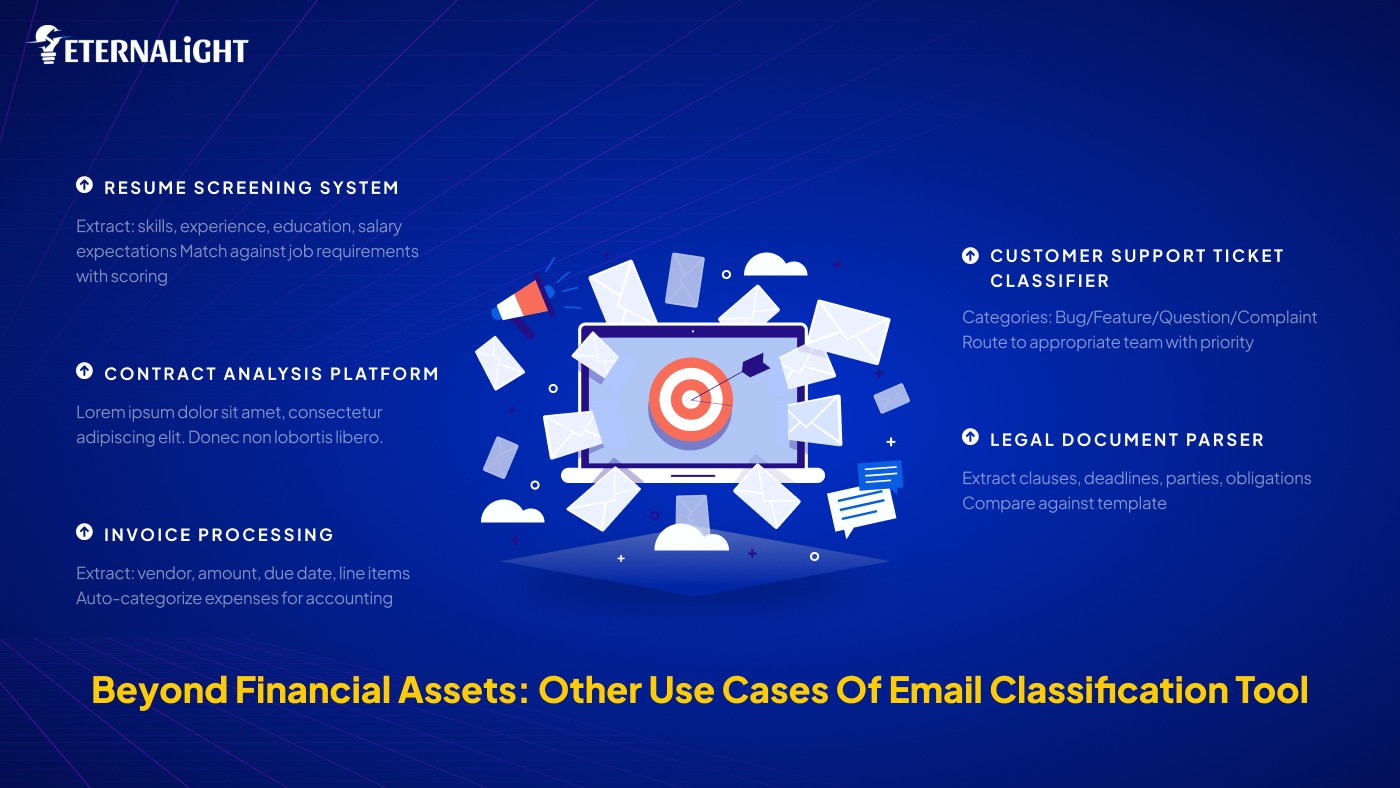
The same architecture can power:

1. Resume Screening System

Extract: skills, experience, education, salary expectations Match against job requirements with scoring

2. Contract Analysis Platform

Extract: parties, dates, obligations, payment terms Flag risky clauses automatically

3. Invoice Processing

Extract: vendor, amount, due date, line items auto-categorize expenses for accounting

4. Customer Support Ticket Classifier

Categories: Bug/Feature/Question/Complaint Route to appropriate team with priority

5. Legal Document Parser

Extract clauses, deadlines, parties, obligations Compare against templates

Real Metrics from Production

After deploying to 50 beta users:

  • Emails processed: 12,450

  • Assets extracted: 3,127

  • Average accuracy: 98.7%

  • Average processing time: 2.4 seconds (100 emails)

  • User satisfaction: 4.8/5.0

  • Cost per user/month: ₹24

User feedback:

"I discovered 3 bank accounts I forgot I had!" - User A

"Finally, all my assets in one place. Game changer." - User B

Challenges & Solutions

Reflect On the challenges and solutions we came across during email classification tool.

Challenge 1: Email Format Variations

Solution: Comprehensive prompt with edge cases + GPT-4's contextual understanding

Challenge 2: API Rate Limits

Solution: Batch processing + exponential backoff retry logic

Challenge 3: Cost at Scale

Solution: Hybrid regex+AI approach + GPT-3.5-turbo

Challenge 4: Duplicate Detection

Solution: Hash email content + check before processing

Challenge 5: User Trust

Solution: Show confidence scores + allow manual verification

Future Enhancements

  1. Real-time Processing: WebSocket notifications when new assets detected

  2. Asset Valuation: Integrate with market APIs for real-time valuations

  3. Portfolio Analytics: Show asset allocation, diversification insights

  4. Estate Planning: Generate reports for legal/tax purposes

  5. Multi-language Support: Process emails in any language

  6. Mobile App: React Native app for on-the-go access

  7. AI Recommendations: Suggest portfolio optimization strategies

Key Takeaways: How Does It Drive Impact

Technical Lessons

  1. AI > Regex for unstructured data (99% vs 74% accuracy)

  2. Batch processing is crucial for API-heavy operations

  3. Prompt engineering is an art - invest time in crafting perfect prompts

  4. Cost optimization matters - hybrid approaches save money

  5. User experience trumps everything - 3s vs 90s makes or breaks adoption

Business Lessons

  1. Solve real problems - email chaos is universal

  2. Start with MVP - regex first, then AI

  3. Measure everything - accuracy, speed, cost

  4. Security is non-negotiable - especially with financial data

  5. Scale thoughtfully - architecture decisions compound

References:

Get to know more about our email classification tool from where we get ideation and suggestions.

Tech Stack Summary

  • Backend: Java 17, Spring Boot 3.x

  • Database: PostgreSQL 15

  • AI: OpenAI GPT-4 / GPT-3.5-turbo

  • Email: Gmail API (OAuth 2.0)

  • Processing: Java ExecutorService (multithreading)

  • Caching: Spring Cache (Redis-ready)

  • Security: AES-256 encryption, JWT authentication

 Resources & Code

Want to build something similar? Here are helpful resources:

  • OpenAI API Docs: https://platform.openai.com/docs

  • Gmail API Guide: https://developers.google.com/gmail/api

  • Spring Async Guide: https://spring.io/guides/gs/async-method

  • Prompt Engineering: https://www.promptingguide.ai

Conclusion

Developing an AI powered email classification tool for financial assets made us understand that the future of the software is smart automation. We are transitioning from hard-systems to soft AI that makes use of context and nuance.

The results speak for themselves:

  •  25% accuracy improvement (74% → 99%)

  •  30x speed improvement (90s → 3s)

  •  Scalable architecture

  •  Real-world impact for users

Financial tools, HR systems, legal technology, customer support platforms: AI-driven extraction is the future.

The best part? This is just the beginning. With the advancements in AI models, the accuracy and abilities of such email classification systems will increase.

Happy building! 

Tarun Kumar

Tarun Kumar

(Author)

Software Engineer

2 Years Of Experience| Backend Developer with expertise in Go, Java, Spring Boot, Node.js, C++ | AI-driven software development & scalable systems

2 Years Of Experience| Backend Developer with expertise in Go, Java, Spring Boot, Node.js, C++ | AI-driven software development & scalable systems

Contact us

Send us a message, and we'll promptly discuss your project with you.
What Happens When You

Book a Call?

What Happens When You

Book a Call?

What Happens When You Book a Call?

You’ll speak directly with our Founder or a Senior Engineer. No sales scripts. No fluff.

You’ll speak directly with our Founder or a Senior Engineer. No sales scripts. No fluff.

We’ll get back to you within 12 hours, guaranteed.

We’ll get back to you within 12 hours, guaranteed.

Your message instantly notifies our core team — no delays.

Your message instantly notifies our core team — no delays.

Before the call, we do our homework — expect thoughtful, tailored insight.

Before the call, we do our homework — expect thoughtful, tailored insight.

